The Deconvolution Dialog box
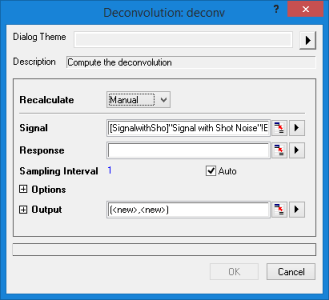
This tool is only accessible from script:
- Make a workbook or a graph active.
- Open the Command Window or Script Window and run the following LabTalk script to access the deconv X-Function:
deconv -d
| Dialog Theme | See Dialog Themes. |
|---|
| Recalculate | |
|---|---|
| Signal |
Specifies the signal (a known convolution result). See Specifying Your Input Data. |
| Response |
Specifies the response. See Specifying Your Input Data. |
| Sampling Interval |
Specifies the sampling interval. The default is <auto>, which corresponds to an automatically computed interval. |
| Options |
Specifies the deconvolution options.
|
| Output |
Specifies the output. See Output Results. |