4.8.1.3 The (Column Properties)Enumerate Labels Tab
This tab can be used to set the Short Names, Long Names, Units and Comments for several columns to the right of the current column by enumerating or duplicating.
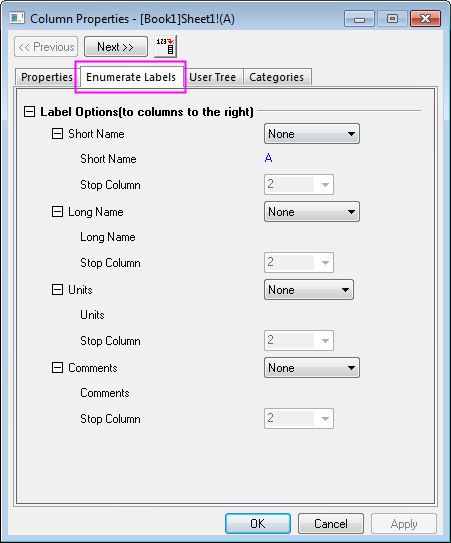
There are four branches in this tab. Each branch determines whether to enumerate or duplicate a column label. The controls in these branches are very similar and are discussed generically below.
| Branch Drop-Down (drop-down list to the right of the branch) |
Use this drop-down list to specify whether to enumerate the value.
|
|---|---|
| Branch Text Box |
This is not editable. The text value in this branch of the current column is displayed here. |
| Start Index |
This is only available when Enumerate is selected from the Branch Drop-Down list. Use this to specify the start index for the enumeration. That number will be appended to the current branch text value and incremented for subsequent columns. |
| Stop Column |
This is only available when Enumerate or Duplicate is selected from the Branch Drop-Down list. Use this to specify the last column which will be changed. |