XYY 3D Side by Side Bars
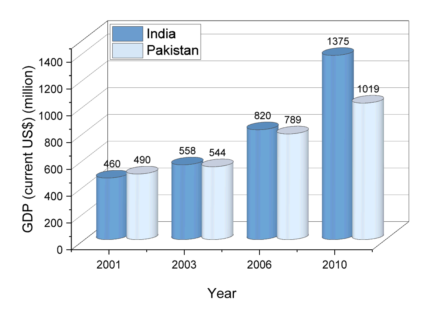
Data Requirements
Select at least one Y column (or a range from at least one Y column). Ideally, select at least two Y columns (or a range of at least two Y columns). If there is an associated X column, X column supplies X values; otherwise, sampling interval of the Y column or row number is used.
Creating the Graph
- Select required data. From the menu, choose .
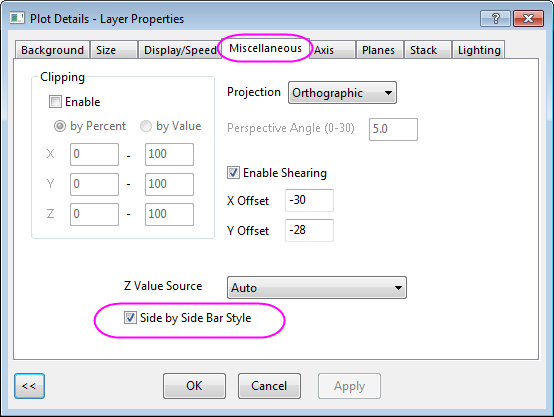
- Ative the graph, select Format: Layer in the menu to open Plot Details dailog. Then go to Miscellaneous tab, and check the Side by Side Bar Style option. Click OK button.
Template
glSideBySideBars.otpu (OpenGL)
(Installed to the Origin program folder)
Note
The Y value of each data point is represented as the height of a column. And Z value should be kept Auto in the Miscellaneous tab of Plot Details dialog.