31.16.15 3D Stacked Heatmaps
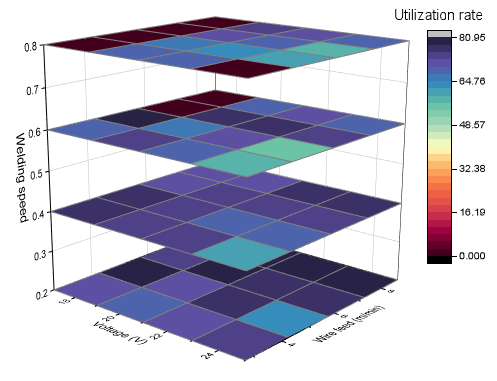
Contents
Data Requirements
- Plotted from Worksheet,
- (1)You need have XYZ data and another reference column to split the XYZ columns into different groups.
- (2)You need have XYZZ... data and a column label row to position the heatmaps on Z axis.
- XY data should be M*N gridding. Origin will convert each XYZ block to a matrix using the Regular gridding method. If the data is not regular, the Sparse gridding method will be used to convert the XYZ data.
- Plotted from Matrix,
- You need have at least three matrix objects in the same matrixsheet.
Creating the Graph
From a Worksheet
Activate the worksheet, select the XYZ+ One Reference Column or XYZZ... data.
From the menu, choose . The dialog plot_xyz3dstack will be opened.
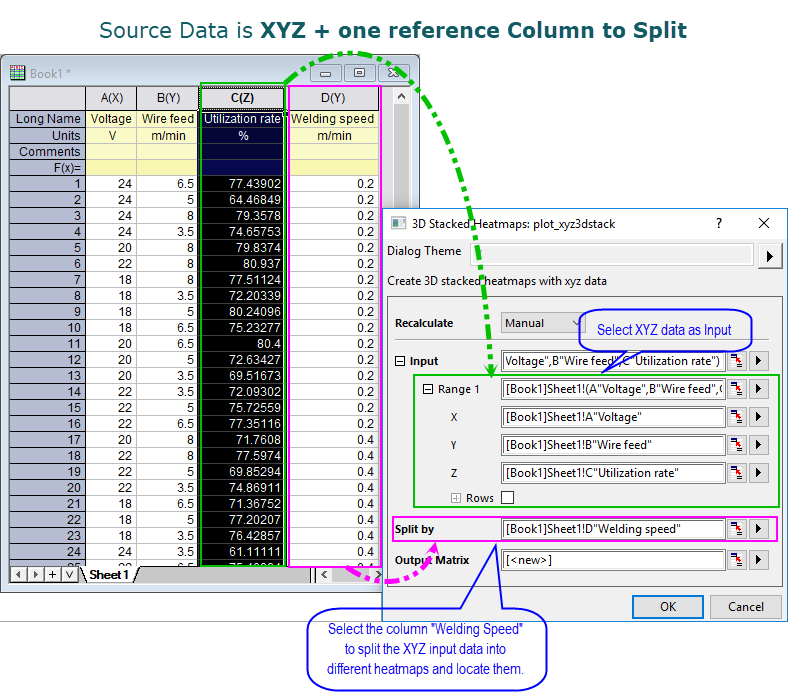
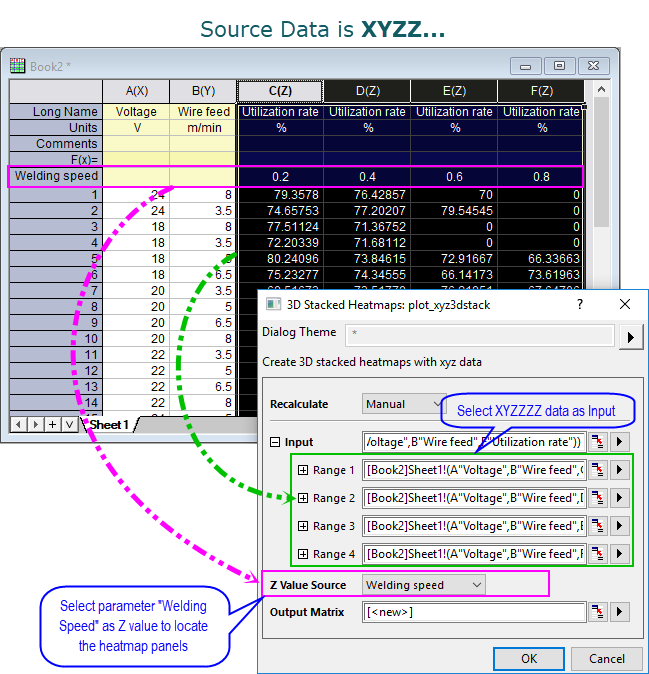
Once these settings done, click OK button to create a 3D stacked heatmaps.
From a Matrix
Activate the matrix sheet which has multiple matrix objects.
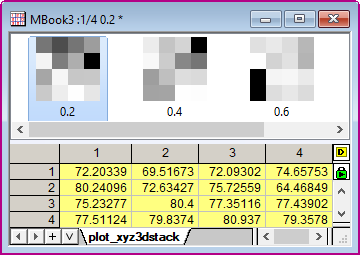
From the menu, choose . A 3D stacked heatmaps will be created.
Template
glStackedHeat.OTPU (Installed to the Origin program folder).
Notes
- In the plot_xyz3dstack dialog, the Split By option is used to specify a column to split the source worksheet by this reference column. The values in this reference column will be kept and used as Z values to locate the heatmaps on Z axis.
- In the plot_xyz3dstack dialog, the Z Value Source option is used to specify a column label row to locate each XYZ heatmap, samilar with the option Z Value Source in the Miscellaneous tab for the graph layer in the Plot Details dialog.
- To customize the stacked heatmaps, you can go to