31.17.7 3D Stacked Bars Graph
Data Requirements
- Worksheet:
- Select at least one Z column (or a range from at least one Z column). If the Z column has associated XY columns, then the XY columns are used; otherwise, the worksheet's default XY values are used.
- or
- A block of worksheet cells (virtual matrix)
or
- Matrix: A matrix of Z values, at least with one object.
Creating the Graph
Activate the matrixsheet or select required data from worksheet.
From the menu, choose
or
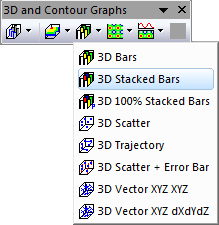
Click the 3D Stacked Bars button on the 3D and Contour Graphs toolbar.
Template
- gl3DStackBar.OTP (OpenGL)
(Installed to the Origin program folder).
Notes
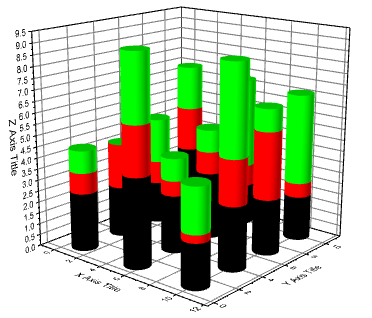
- The Z values determine the height of the columns (bars). The columns/bars can be color-mapped to the Z values.
- The associated X and Y values mapped in the matrix/worksheet determine the XY locations of each column.
- For XYZ data, the Z values at same X and Y coordinates will be stacked on Z direction; for matrix data, all objects in current matrixsheet will be stacked.
- If you want to create such 3D stacked bar graph from virtual matrices, you need create a general 3D bar graph from a selected virtual matrix firstly, and then add more virtual matrices into this graph and group them all with the Layer Contents dialog. Please note, subsequent virtual matrices need be created in advance with X-Function w2vm.