3.17 Waveform Envelope
This example shows you how to access waveform data (.wdt file) and to find an upper envelope with an Analysis Template.
Note: If you want to try this example in Windows 10, please run Labview as administrator at the first time. You should:
|

It is to demonstrate the following:
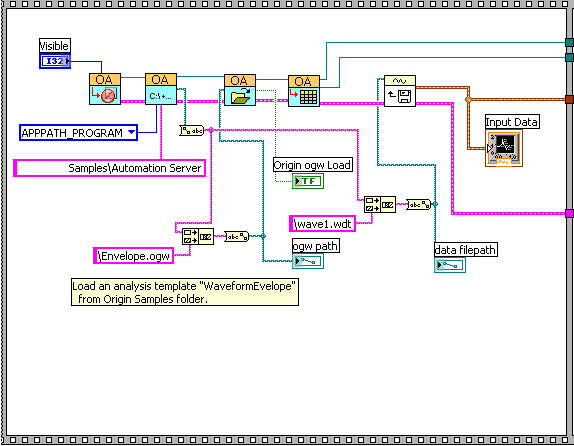
- Connect to Origin with OA_ConnectToOrigin.vi which maps to the ApplicationSI method in Origin.
- Load an Origin Analysis Template (an OGW file) under Origin program folder.
- Specify a path to load wave1.wdt, which is under <Origin Program Folder>\Samples\COM Server and Client\.
- Send the data to a sheet named "WaveformEnvelope" in the Analysis Template.
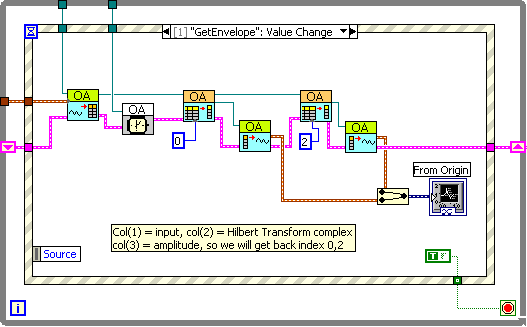
- Trigger Recalculate in Origin. The Analysis Template will automatically update the "WaveformEnvelope" sheet.
- Send the found upper envelope and the original data from Origin to LabVIEW, and then plot them.
This example is composed of two parts.
- The figure below is to read data from an ASCII file and send the data to the Origin worksheet
- The figure below is to perform the envelope finding in Origin, and then plot the envelope and original data in LabView.