3.13 Sending Waveforms to Origin
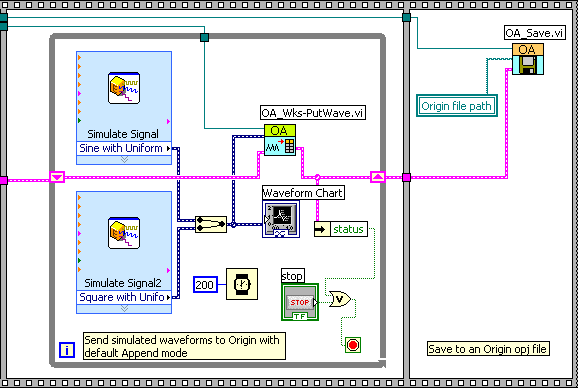
This example shows how to send waveform data to Origin. More specifically, the VI demonstrates the following:
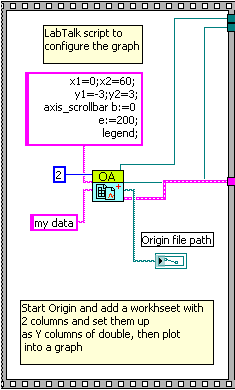
- Start a new named project and add a worksheet with 2 columns and set them up as Y columns of double, then plot into a graph.
- Sending the simulated dynamic data to Origin and save the project as a .ogw file.
- The following block shows how to use the OA_NewWaveFile.vi to start a new Origin project named my data and add a worksheet with 2 columns. Then set the 2 columns' plot designation as Y and specify the data type of to double and plot them into a graph.
- The following block shows how to send simulated dynamic data to Origin via the OA_PutWave.vi and then save the project as opj file.