3.7 On The Fly Analysis
This example shows how to do on the fly analysis in LabView with Origin.
It is to demonstrate the following:
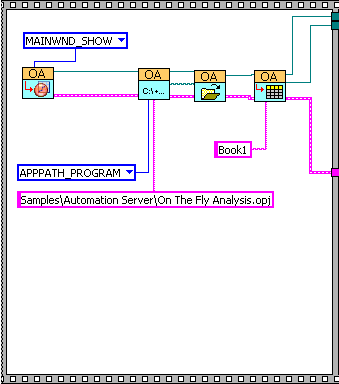
- Connect to a running Origin with OA_ConnectToOrigin.vi which maps to the ApplicationSI method in Origin.
- Specify a path to load On The Fly Analysis.opj, which is under <Origin Program Folder>\Samples\COM Server and Client\.
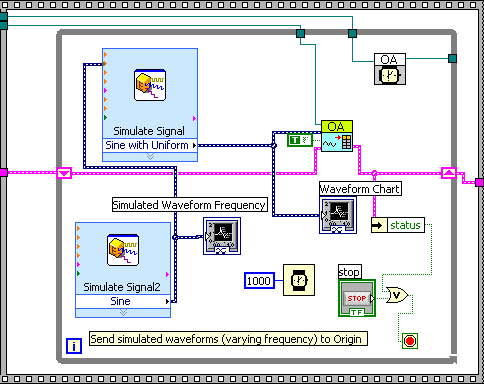
- Send a simulated data to Origin and trigger Recalculate in Origin to do FFT analysis.
This example is mainly composed of two parts.
- The figure below is to load an .opj.
- The figure below is to perform the on the fly analysis.