1.19 Venn Diagram
Summary
The Venn Diagram app can be used to show all overlaps among a collection of different groups(columns in Origin), and reveals the possible logic relationships.
Tutorial
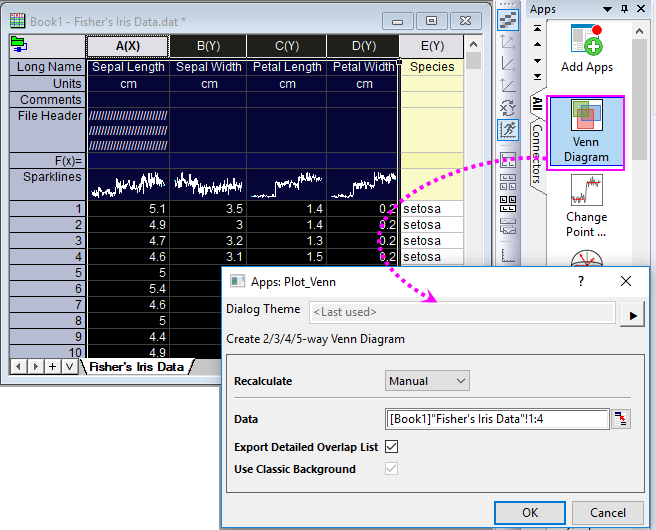
- Start this tutorial with the app Venn Diagram installed. If you have not installed this app, please click Add Apps button in Apps Gallery to open App Center to search and install the app.
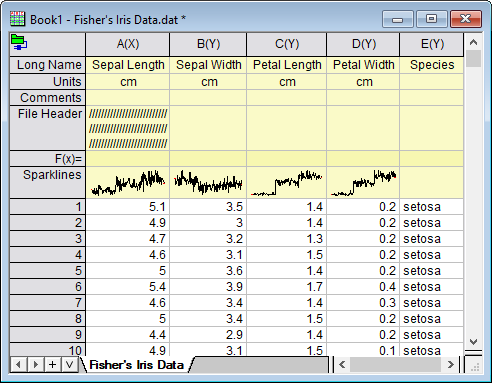
- New a worksheet and then import the sample file <Origin Porgram Folder>\Samples\Statistics\Fisher's Iris Data.dat by selelcting Data> Connect to File: Text/CSV menu.
- Highlight Col(A)~Col(D) to click on the app icon to open the dilaog.
- Keep the default settings and click OK button to create the venn diagram.
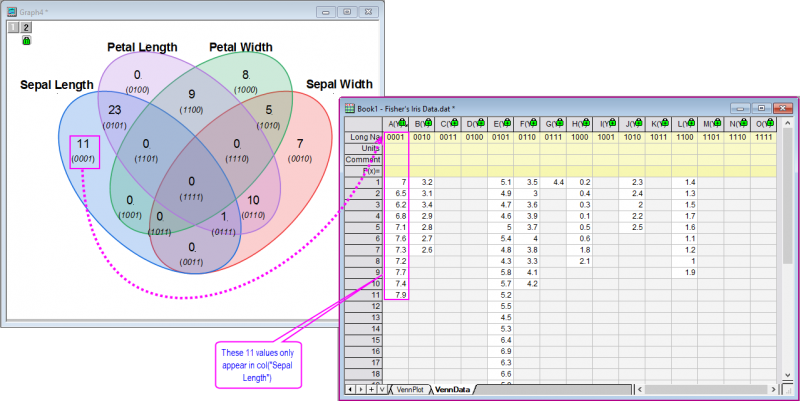
- As you can see, each area has its label and the counting value. The labels have their meanings: 0001 means the values only appear in col("Sepal Length"); 0011 means the values appear in col("Sepal Length") and col("Sepal Width") both; 0111 means the values appear in col("Sepal Length"), col("Sepal Width") and col("Petal Length")...