Hinweis:Dieser Abschnitt ist nur in englischer Sprache verfügbar. Wir bitten um Ihr Verständnis.
2.58 SVM Classification
Contents
Summary
The SVM Classification app can be used to perform the support vector machine algorithm for classification.
Tutorial
- Import Fisher's Iris Data.dat in the <Origin EXE Folder>\Samples\Statistics\ folder.
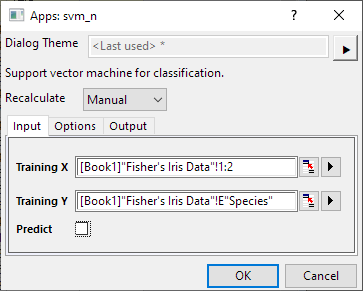
- Select Column A and B, then click on SVM Classification icon
 from the Apps panel to open the dialog.
- In the dialog, set Column E as Training Y. Uncheck Predict checkbox.
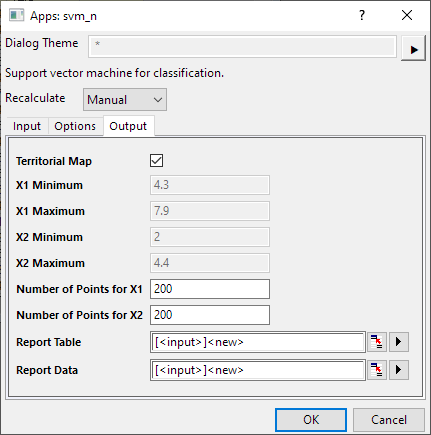
- Check the Territorial Map option . For 2 Dimensions' X data, territorial map plot is available for output. Click OK.
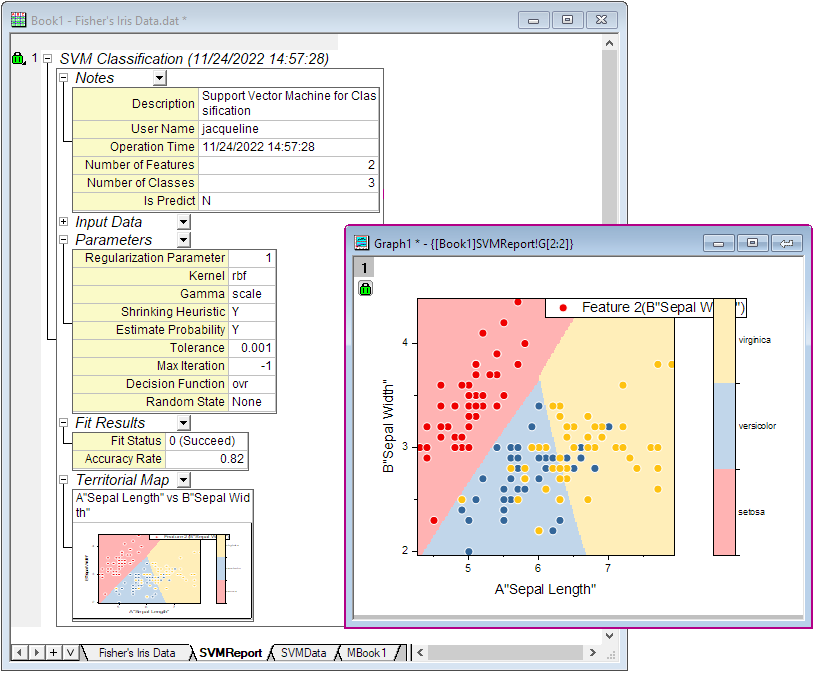
Then you will get the SVMReport with Territorial Map