2.75.1 Specifying Input Data for SPC Tools
Introduction
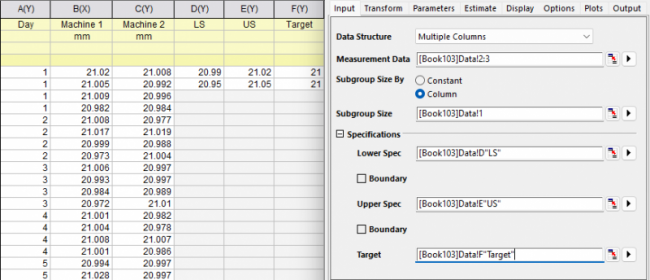
This chapter guides you through selecting measurement data, handling subgroup structures, and applying specification limits—such as Lower Specification Limit (LSL), Upper Specification Limit (USL), and Target values—across different data layouts for the SPC tools
Specifying Input Data
Select the options in Input tab of the dialog according to how your data arranged
| Data Arrangement | Options to specify |
|---|---|
One dataset
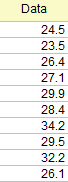 |
|
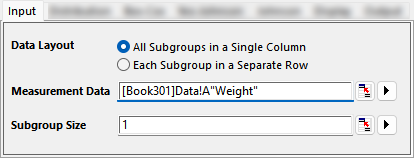
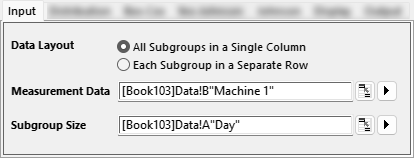
All Subgroups in a Single Column
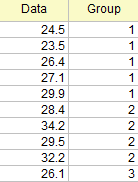 |
|
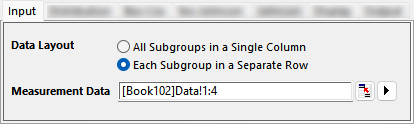
Each Subgroup in a Separate Row
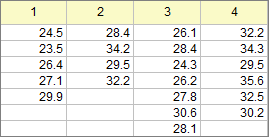
|
|

Setting up Specifications and Parameters
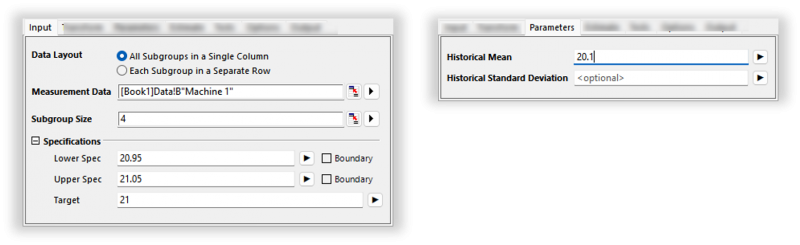
Origin provides flexible methods for entering specification limits in the Input tab and the historic parameters in the Parameters tab
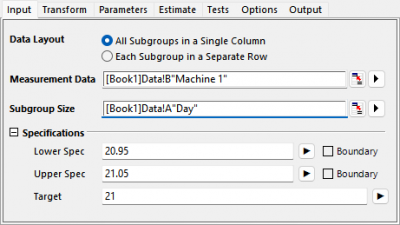
Single Variable
Enter a number
- The value applies to all variables or groups
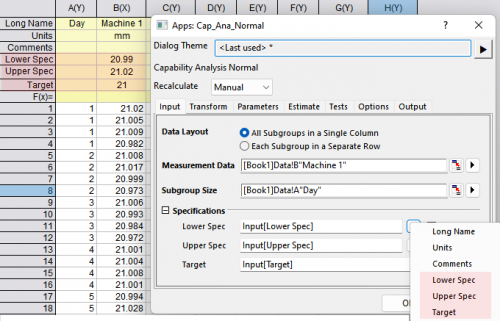
Enter values in header rows
- The values stored in header rows are applied to the corresponding columns.
-
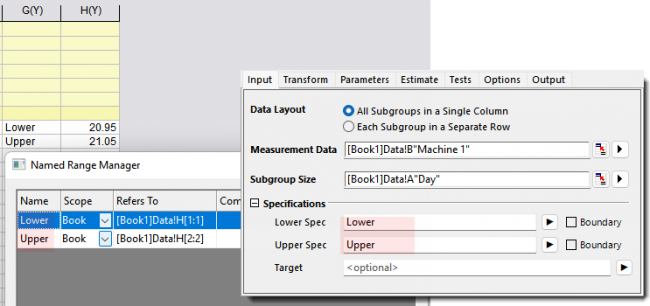
Enter name range and project variables
If you have defined named range or project variables for the specification limits or historic parameters, you can enter them directly into the specification fields.
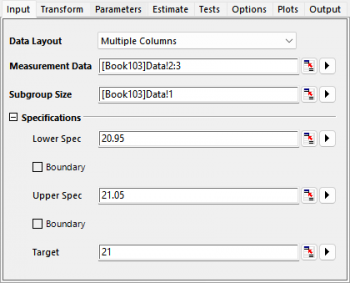
Multiple Variables
The multiple variable tools in capability analysis supports following specication methods
Enter a number
- The value applies to all variables or groups
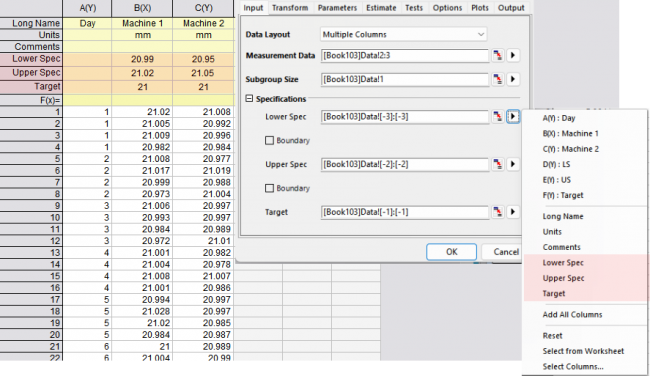
Enter values in header rows
- The values stored in header rows are applied to the corresponding columns.
-
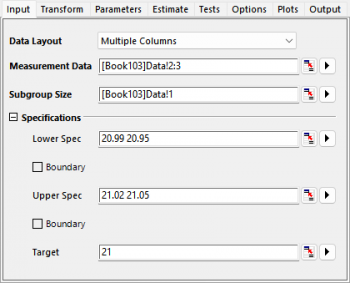
Enter space-separated values
- The values apply sequentially to each measurement column
-
Enter values in columns
- The values stored in column are applied sequentially to each measurement column