2.5 Reliability and Survival Analysis (Pro)
Reliability and survival analysis quantifies how long a product or organism remains free from failure or death.
Origin’s Reliability and Survival Analysis App combines parametric (Weibull, log-normal, etc.) and non-parametric (e.g., Kaplan–Meier) methods to handle any censoring patterns such as right-, left- or interval-censoring. describes lifetime distributions, estimates survival probabilities and hazard rates. Warranty analysis is also collected in this App to forecast early-life returns, calculate expected claim costs, and set equitable warranty terms from limited field or laboratory data. Accelerating life testing extends the toolkit by fitting life-stress models (e.g., Arrhenius) to high-stress data and extrapolating reliability to use conditions without waiting decades for field experience.
Together, these tools estimate survival probabilities, hazard rates, and key percentiles, enabling engineers to optimize designs, reduce risk, and make warranty and design decisions.
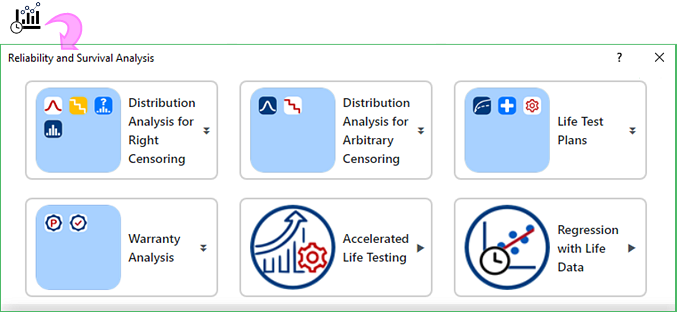
| Distribution Analysis for Right Censoring | ||
|---|---|---|

|

|
Identify Distribution |

|
Distribution Overview | |

|
Parametric Distribution Analysis | |

|
Non-Parametric Distribution Analysis | |
| Distribution Analysis for Arbitrary Censoring | ||
|---|---|---|

|

|
Parametric Distribution Analysis |

|
Nonparametric Distribution Analysis | |
| Life Test Plans | ||
|---|---|---|

|

|
Demonstration |

|
Estimation | |

|
Accelerated Life Testing | |
| Warranty Analysis | ||
|---|---|---|

|

|
Transform Warranty Data |

|
Warranty Prediction | |
| Accelerated Life Testing | |
|---|---|

|
Accelerated Life Testing |
| Regression with Life Data | |
|---|---|

|
Regression with Life Data |
Download and install the app
- Click Add Apps button in Apps Gallery to open App Center, search "Reliability and Survival" and install the app.
- OR
- Download the App from the OriginLab File Exchange, drag and drop the OPX file to Origin to install it.
Once installed, the Reliability and Survival app icon  appears in the Apps Gallery (docked on the right).
Sample OPJ
Each tool in this App includes a tutorial to help you get started quickly. The tutorials use sample project shipped with the App.
To open the sample project:
- Right click on Reliability and Survival Analysis App icon in the Apps Gallery and choose Show Samples Folder from context menu.