2.67 Redlich-Kister Polynomial Fit
Contents
Summary
This Redlich-Kister Polynomial Fit app provides the convenience to perform Redlich-Kister polynomial fit easily.
Tutorial
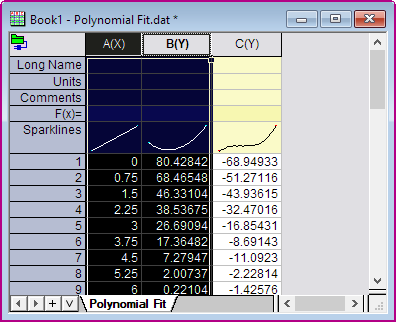
- Import Polynomial Fit.dat in the <Origin EXE Folder>\Samples\Curve Fitting\ folder.
- Highlight Column A and B in the Worksheet, and click Redlich-Kister Polynomial Fit
icon
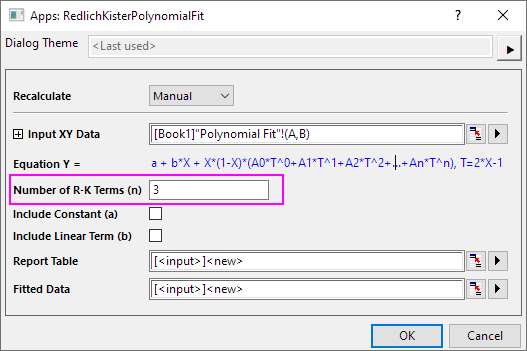
 from the Apps panel of Origin to open the app's dialog box.
- In the dialog, set Number of R-K Terms (n) to 3. That is the value of n in the equation.
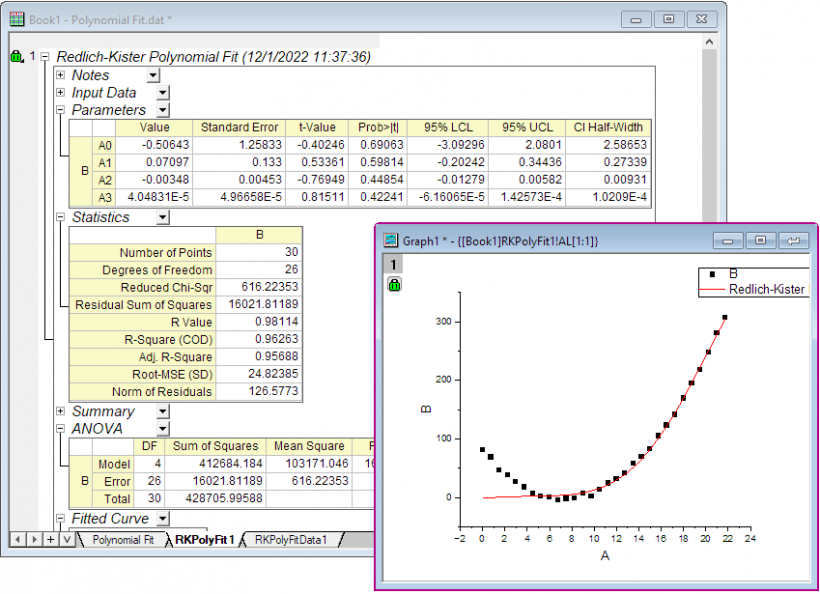
- Click OK button to output report sheet.