1.35 Polar Heatmap with Dendrogram
Contents
Summary
This Polar Heatmap with Dendrogram app can be used to create a polar heatmap with a circular dendrogram and a radial dendrogram. And the circular dendrogram supports to swap subtrees and reset.
Tutorial
- Right-click the Polar Heatmap with Dendrogram icon
 in the Apps Gallery window, and select Show in Folder.
- The PolarHeatmapEx.opju project file is in the pop-up folder. Open this project file in Origin.
- Active Book1 and click the Polar Heatmap with Dendrogram icon in the Apps Gallery window.
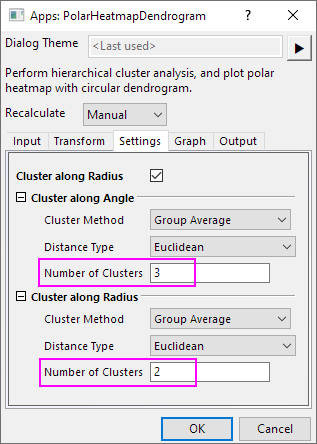
- In the opened dialog, go to Settings tab, type 3 for Number of Clusters in Cluster along Angle branch, and type 2 for Number of Clusters in Cluster along Radius branch. Click OK button.
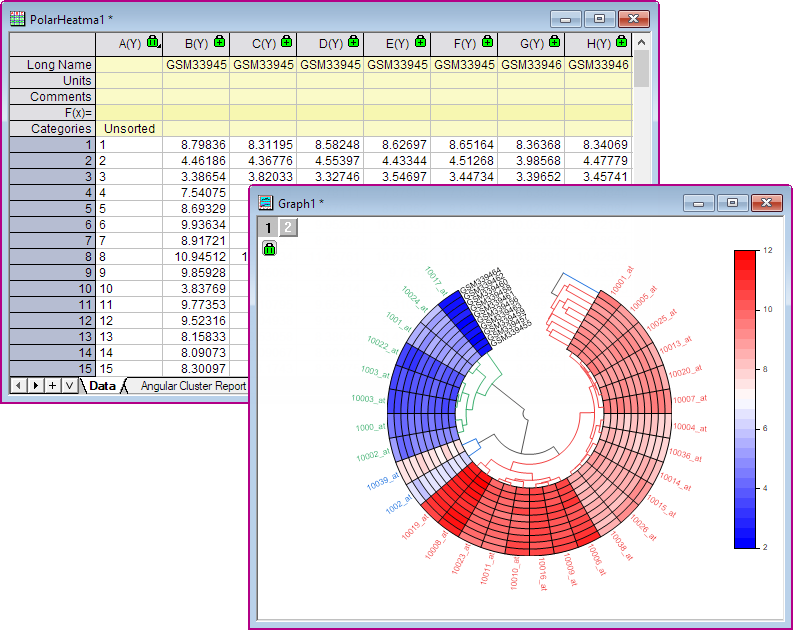
- A polar heatmap with circular dendrogram and a PolarHeatma1 workbook are created. In this example, Data Format is Radius across columns by default, so the circular dendrogram clusters along rows. And the radial dendrogram clusters along columns.
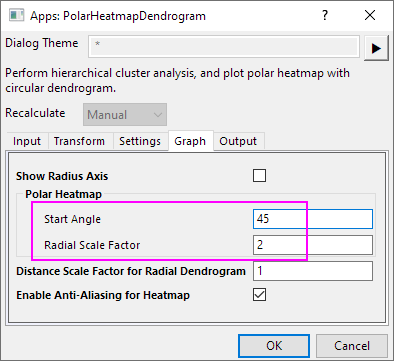
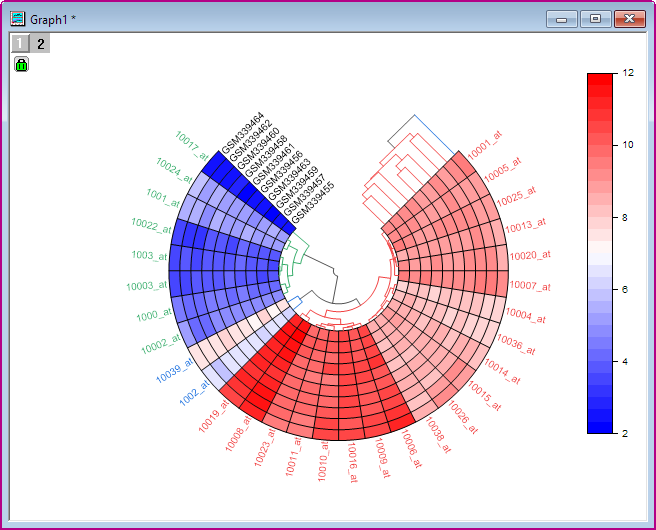
- Click on the green lock icon on the graph and select Change Parameters... to reopen the dialog. Go to the Graph tab, under Polar Heatmap, set Start Angle to 45. It adjusts the start position of the polar heatmap in the angular direction. Then set Radial Scale Factor to 2. This option specifies the ratio of the heatmap size to the circular dendrogram one in the radial direction. Click OK button.
- The graph will look like as below.