3.6 Piecewise Smooth
Contents
Summary
Piecewise Smooth app is used to smooth parts of an XY dataset by a Region of Interest box. Select one or more regions of an input XY dataset using an ROI (Region of Interest) box and smooth them according to user-defined settings.
Tutorial
- Import fftfilter1.dat in the <Origin EXE Folder>\Samples\Signal Processing\ folder
- Highlight columns B. Click the Piecewise Smooth icon
 in the Apps Gallery window.
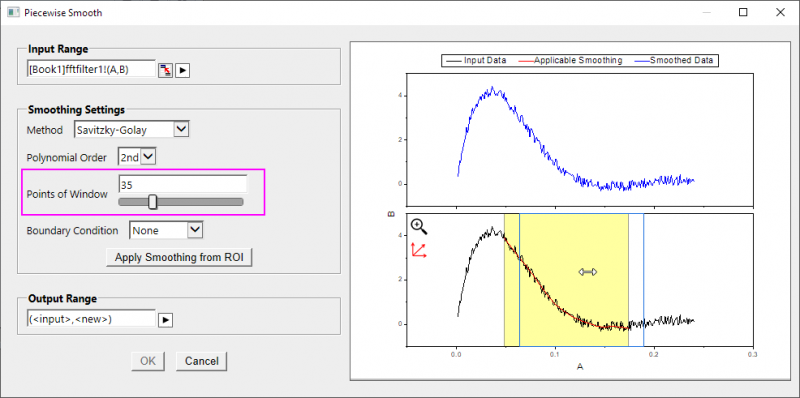
- In the opened dialog, set Points of Window to 35. And then, in lower panel of the preview graph, move and resize the yellow ROI box to the desired region of the Input Data plot (black).
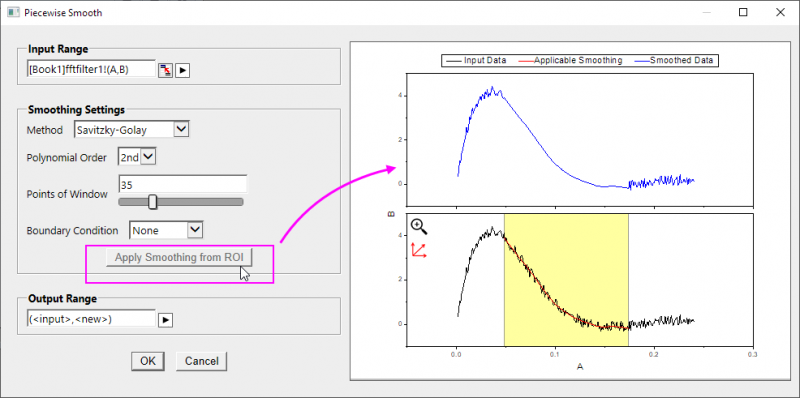
- After the dialog setting ready, click the Apply Smoothing from ROI button.
Note: the Smoothed Data plot (blue) in the upper panel of the graph updates. - Click OK to output a smoothed XY dataset.
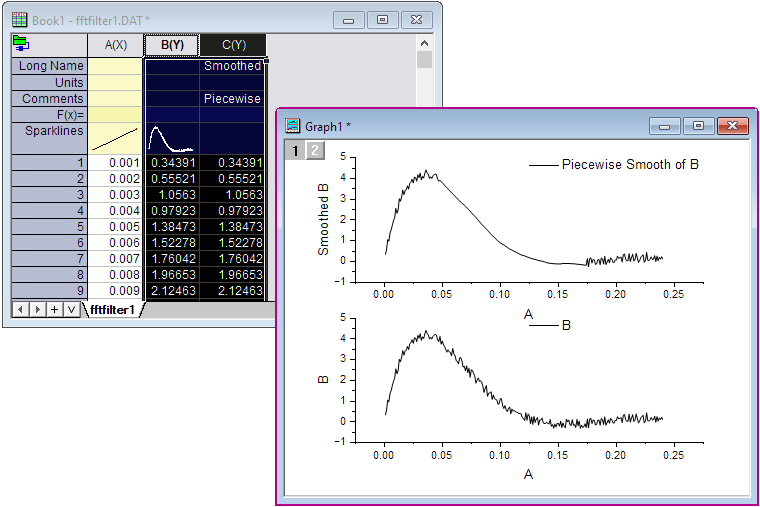
- Highlight the columns B and C (smoothed dataset), and select Plot: Multi-Panel/Axis : Vertical 2 Panel to plot a new graph to compare source dataset and smoothed dataset.