Hinweis:Dieser Abschnitt ist nur in englischer Sprache verfügbar. Wir bitten um Ihr Verständnis.
1.24 Phylogenetic Tree (Pro)
Contents
Summary
The Phylogenetic Tree app imports data file of phylogenetic tree and visual it as a dendrogram.
The app supports following data file format
- Nexus (*.nex, *.nxs)
- PHYLIP (*.ph)
- CLUSTAL W / Clustal Omega (*.dnd, *.ph, *.txt)
 | The app creates a dendrogram from existing phylogenetic data files. It does not provide any methods to calculate the distance or cluster the nodes. |
Tutorial
This tutorial uses the app’s built-in sample file. To find the sample files:
- Right click the Phylogenetic Tree App icon in the Apps Gallery and choose Show Samples Folder.
- A folder will open. Drag-and-drop the project file PhylogeneticTreeSample.opju from the folder onto Origin.
Visualize the Phylogenetic Data File
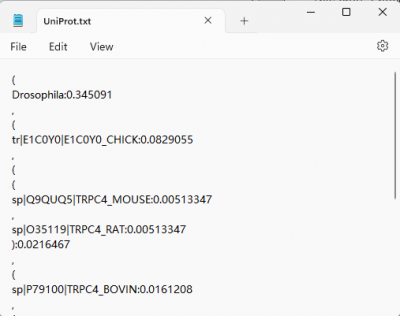
- In the sample folder we have prepared a phylogenetic tree data file in txt format, UniProt.txt
- Click the Phylogenetic Tree icon
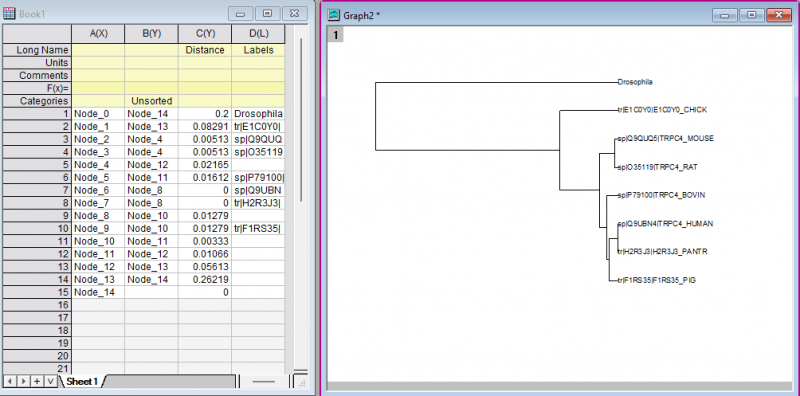
 from the "Apps Gallery". Browse to open the UniProt.txt from the sample folder. The graph with phylogenetic tree and a worksheet with plot data are generated.
| Notes: You can change the values on worksheet to change the display of phylogenetic tree). |
To Customize the Phylogenetic Tree
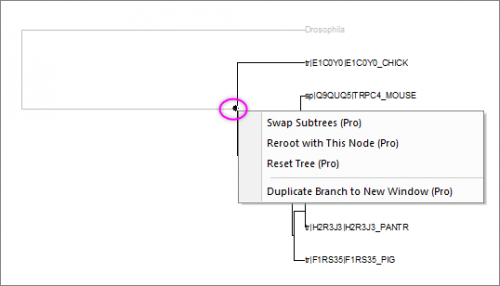

- Click on the node of branch and right click on it. You can choose to swap trees, reroot with this node or duplicate branch to new window
-