1.24 Phylogenetic Tree (Pro)
Contents
Summary
The Phylogenetic Tree app imports data file of phylogenetic tree and visual it as a dendrogram.
The app supports following data file format
- Nexus (*.nex, *.nxs)
- PHYLIP (*.ph)
- CLUSTAL W / Clustal Omega (*.dnd, *.ph, *.txt)
 | The app creates a dendrogram from existing phylogenetic data files. It does not provide any methods to calculate the distance or cluster the nodes. |
Tutorial
This tutorial uses the app’s built-in sample file. To find the sample files:
- Right click the Phylogenetic Tree App icon in the Apps Gallery and choose Show Samples Folder.
- A folder will open. Drag-and-drop the project file PhylogeneticTreeSample.opju from the folder onto Origin.
Visualize the Phylogenetic Data File
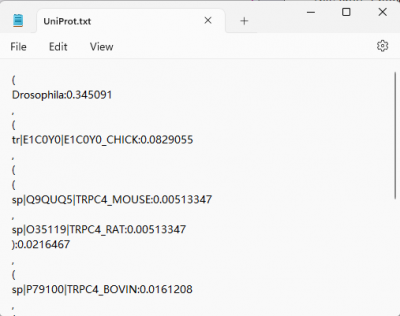
- In the sample folder we have prepared a phylogenetic tree data file in txt format, UniProt.txt
- Click the Phylogenetic Tree icon
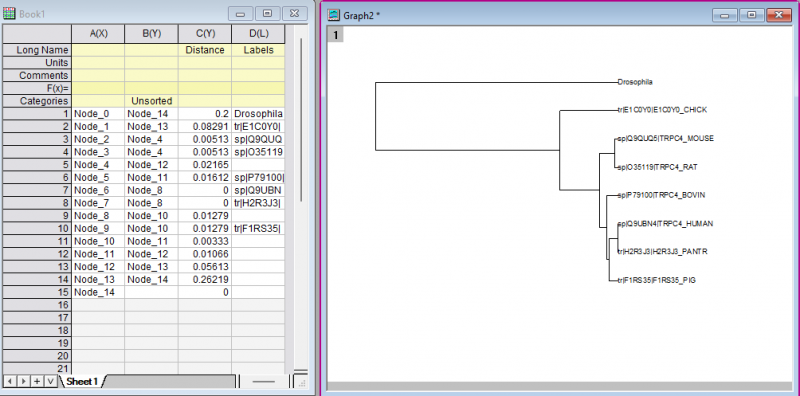
 from the "Apps Gallery". Browse to open the UniProt.txt from the sample folder. The graph with phylogenetic tree and a worksheet with plot data are generated.
| Notes: You can change the values on worksheet to change the display of phylogenetic tree). |
To Customize the Phylogenetic Tree
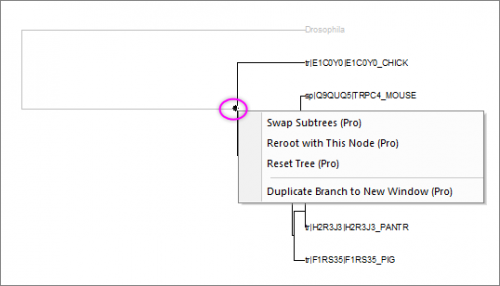
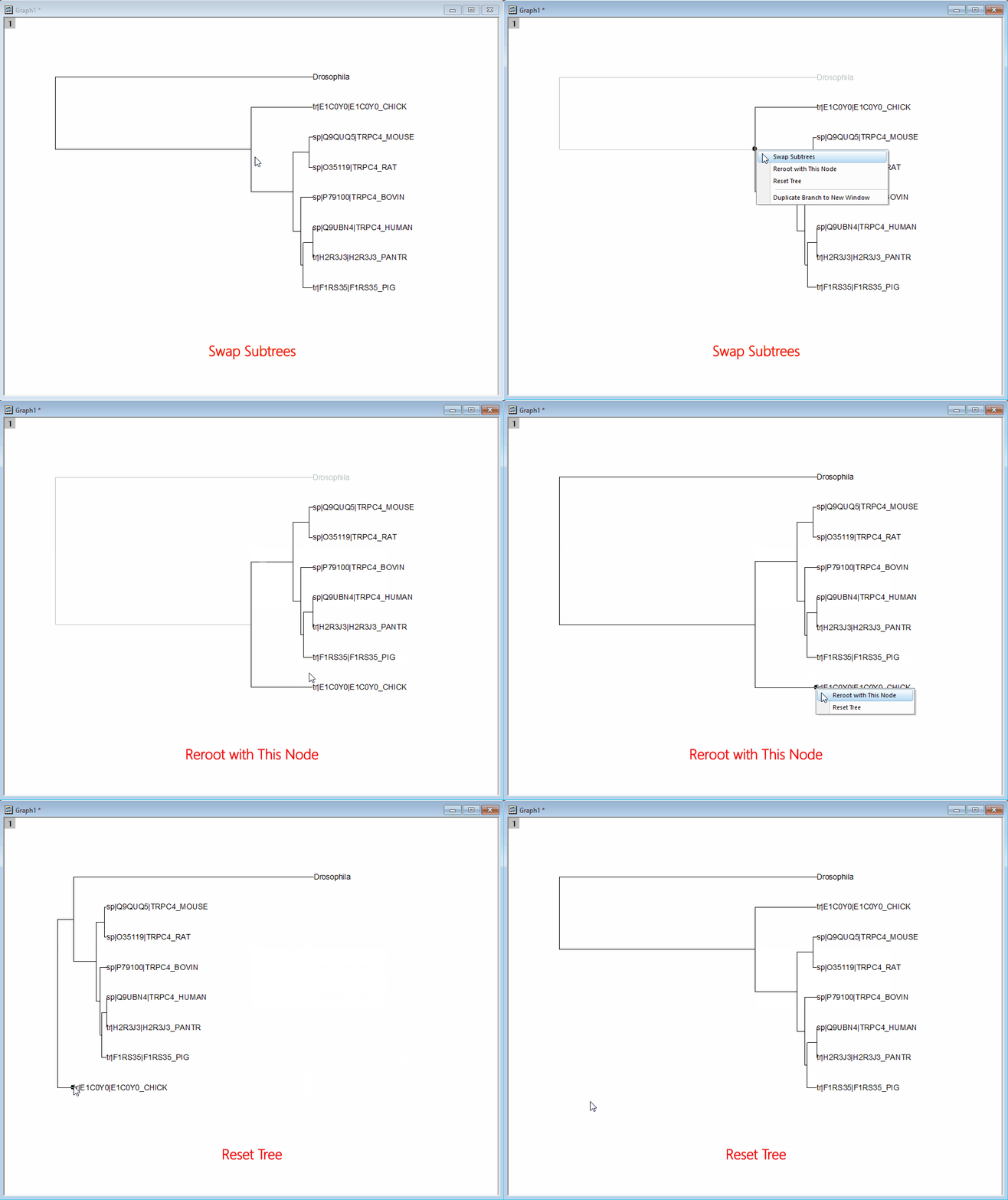
- Click on the node of branch and right click on it. You can choose to swap trees, reroot with this node or duplicate branch to new window
-