2.42.2.2.4.1 The Mixture Design Dialog Box
Contents
Supporting Information
To open the Mixture Design dialog
- Select Statistics: Quality Improvement: Design of Experiment from the Origin menu
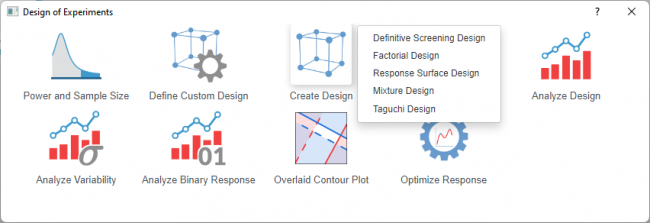
- Select the Create Design icon and choose Mixture Design from the list
 | Topics for Further Reading: |
Design Selection
Type of Design
Select a response surface type from the list below. Refer to the introduction and comparison for which type should be used for your design
- Simplex Centroid
- Simplex Lattice
- Extreme Vertices
Display Available Designs
Click the button for information to select an appropriate design. The table shows the number of factors and runs
Components
| Total Amount | Select whether the mixture formulations in your experiment use one fixed total quantity or vary across runs.
Choose Single Total for standard mixture designs where only component proportions matter. Choose Multiple Total when the overall scale of the mixture is an additional experimental factor.
|
|---|---|
| Number of Components | The count of ingredients or factors in the mixture. |
| Number of Levels per Component | Available only for Simplex Lattice design
The distinct proportions tested for each component. Higher levels increase design resolution but also the number of runs. |
| Component Table | Displays and defines each mixture ingredient and its quantitative bounds.
|
Process Variables
| Number of Process Variables | The count of process factors to include in the experiment. Enter 0 if the experiment contains only mixture components. |
|---|---|
| Type of Design | Select the structure for the process variable portion of the experiment. Provides fractional and full factorial design |
| Fraction Number | Defines the fraction of the full factorial to run. Lower fractions reduce runs but increase confounding among effects. |
| Process Variable Table | Displays and defines each process variable and its settings
|
Settings
| Number of Replicates | Select the number of replicates. Replicates are multiple runs with the same factor settings. One replicate runs each combination once; two replicates run each combination twice
Adding replicates can increase the statistical power to detect effects but also increase total runs and resource cost. |
|---|---|
| Linear Constraints | Available only for Extreme Vertices design
Allows you to impose additional linear restrictions on component proportions beyond simple upper and lower bounds If selected, you can define each linear constraint equation in the Constraints table that appears below |
| Number of Constraints | Enter the count of linear constraint equations to apply. Origin generates a corresponding number of rows in the constraints table. Set to 0 if no linear constraints are needed. |
| Randomize Runs | Randomize the order of all experimental runs. This distributes nuisance factors |
| Random Seed | Enter a non-negative integer to control the random number generator |
Output
| Design Table | The design table shows the factor settings for each experimental run in the design |
|---|
Dialog Theme
Save and load the settings of the dialog. Use this to store frequently used factor configurations, design options, or output preferences, then recall them for future designs without re-entering all values.