1.6 Maps Online
 
|
 
|
Summary
The Maps Online app is to fetch map image from a WMS server and place as background image in a graph.
 | WMS server locations often change. You will need to search and find your desired WMS server address. |
Tutorial
Download the Sample OPJ
- Download the attached file. Open the OPJU file in Origin
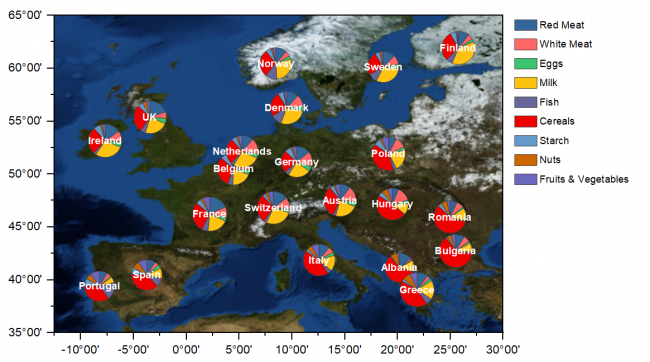
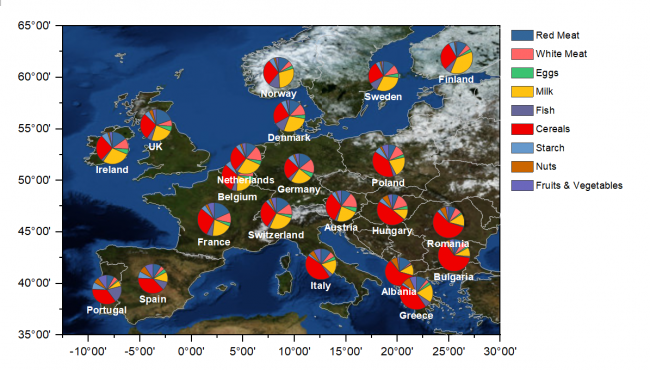
- In the project file we have prepared a Pie Map chart for protein consumption in Europe
Adding Map Using Maps Online App
- Make sure Graph1 is active
- Click the Maps Online icon,
 , from Apps Gallery.
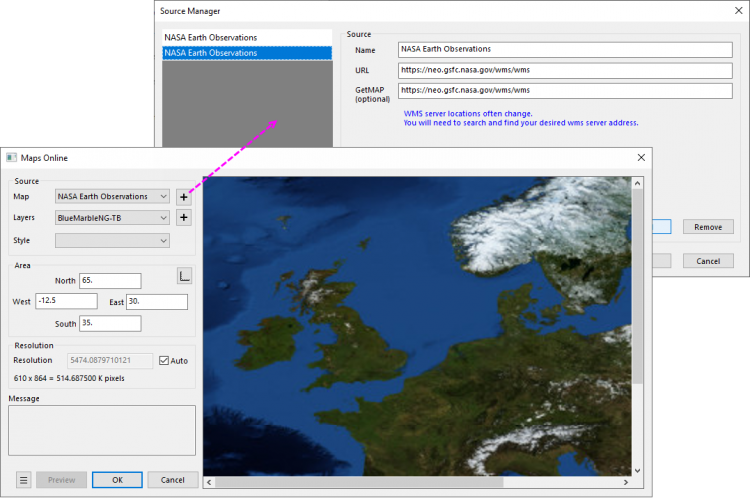
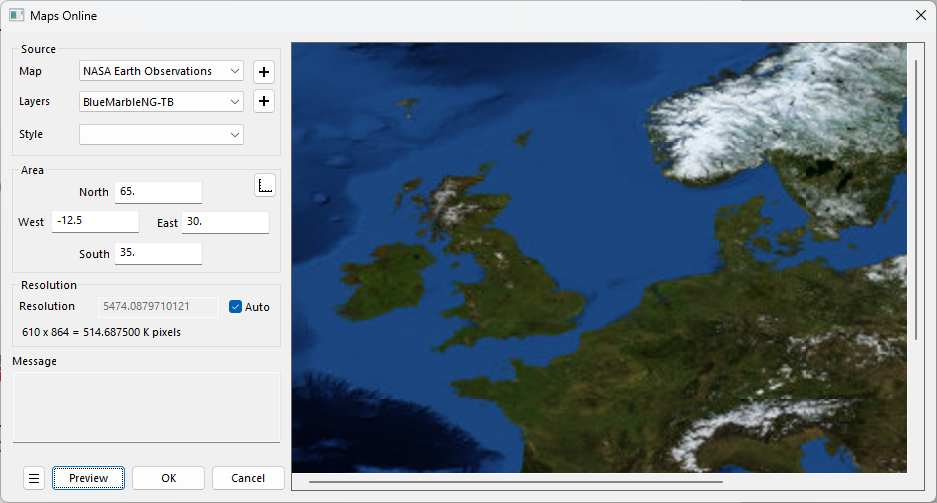
 - In the opened dialog, click the
 button beside the Map drop-down . it will open a dialog. Now add the information below in dialog to add a new server
Notes: The Maps Online App queries a WMS server. These servers often change. If the service below is broken, try and locate an updated URL. - Name: NASA Earth Observations
- URL: https://neo.gsfc.nasa.gov/wms/wms
- GetMAP: https://neo.gsfc.nasa.gov/wms/wms
- Choose BlueMarbleNG-TB from Layers drop-down list. The longitude and latitude of Area part will be updated automatically according the scale of the active graph. Click Preview button on the bottom left to preview the map.

We can using the
button beside the Layer drop-down to load more than one maps, such as boundary and colorfilled map. For more details, please refer to the blog post
- Click OK button to close Maps Online dialog and load map.
Further Customizing the Graph
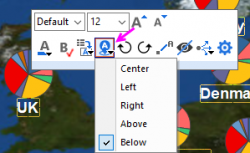
- Click on the labels on graph, in the pop-up mini toolbar, click the Position button and choose Below
- To overlay the Europe boundary on graph, choose menu "Insert: Europe Map"
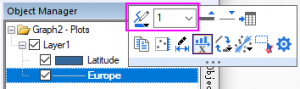
- Select the Europe line in the right Object Manager, in the mini toolbar, change the color to be gray and width to be 1
-
- Finally we will get the graph
Dialog Settings
| Map | The data source of WMS.
You can add/delete sources through the button on the right. |
|---|---|
| Layers | Map layer(s)
You can select more than one layer through the button on the right. |
| Style | A style of the selected layer (if applicable). |
| Area |
|
| Resolution | The longest distance in meter represented by each pixel. |
There is a config file under the Apps folder, "%@AMaps Online\MapsOnline.conf":
| IsImportToMatrix |
|
|---|---|
| IsAlwaysRescale |
|
| IsTransparent |
|
| BackgroundColor | Image background color if applicable. Used when downloading non-transparent images. |