2.24 Logistic Regression
Summary
The App Logistic Regression is used to study the relationship between a categorical response variable and independent variables by fitting with a logistic function. The response categorical variable can include two levels (Binary), more than two levels (Multinomial) and more than two levels with ordering (Ordinal). Independent variables can be continuous or categorical. The model can be customized.
In this tutorial, we will show you how to perform binary logistic regression.
Tutorial
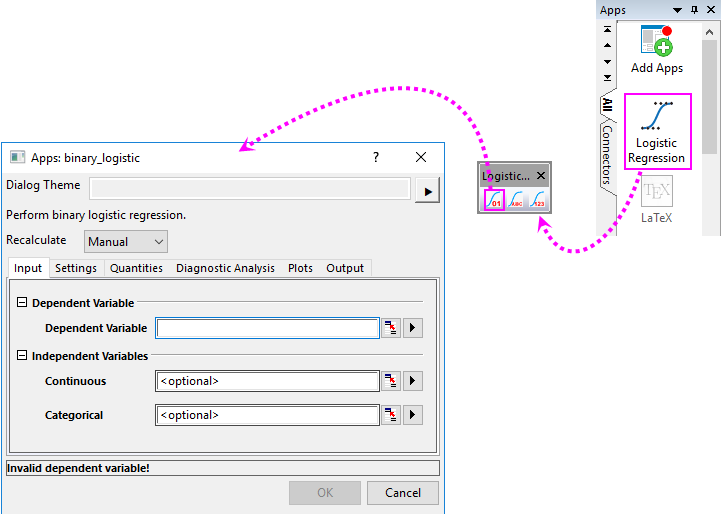
- Start this tutorial with the app Logistic Regression installed. If you have not installed this app, please click Add Apps button in Apps Gallery to open App Center to search and install the app.
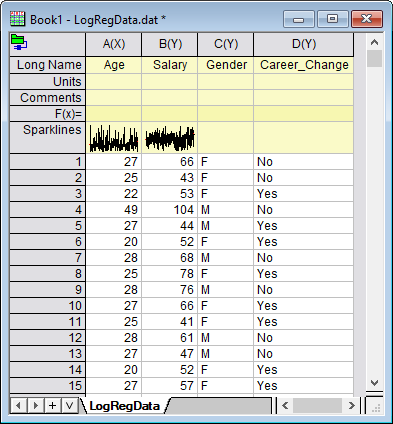
- New a workbook and select Data: Connect To File: Text/CSV menu to import the sample data <Origin Program Folder>\Samples\Statistics\LogRegData.dat.
- With the data worksheet active, click the app icon. A toolbar with 3 buttons will appear. Click the first button to bring up the binary_logistic dialog.
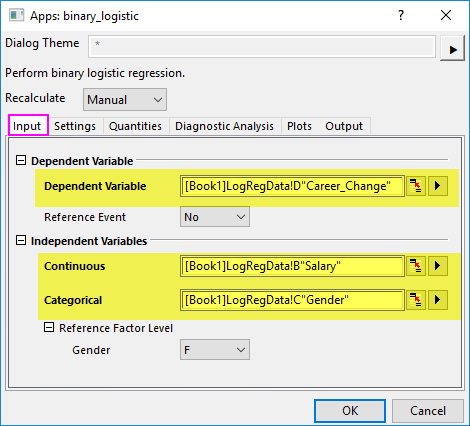
- In the Input tab, select Col("Career_Change") for Dependent Variable, Col("Salary") for Continuous Independent Variable, and Col("Gender") as Categorical Independent Variable.
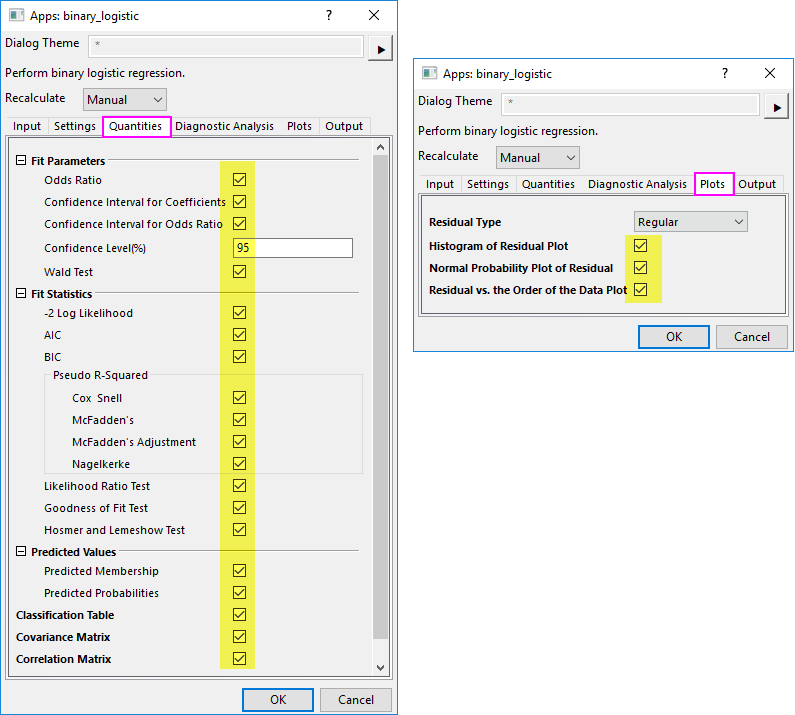
- Check all check boxes in Quantities tab, and all plots in Plots tab.
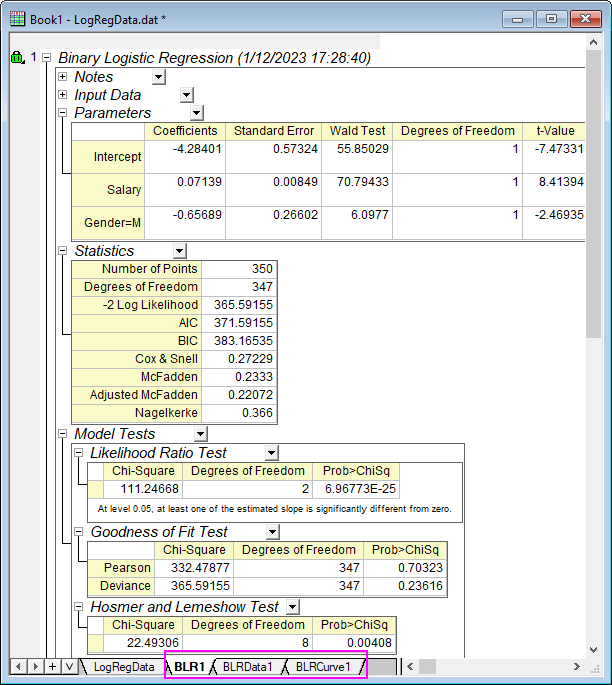
- Click OK button to to generate the results.