1.3.1 Tutorial for Heat Map with Dendrogram
Contents
Tutorial
- Right-click on the Heat Map with Dendrogram icon
 in the Apps Gallery and select Show in Folder.
- The GSEData.ogw workbook file is in the pop-up folder. Open this workbook file in Origin.
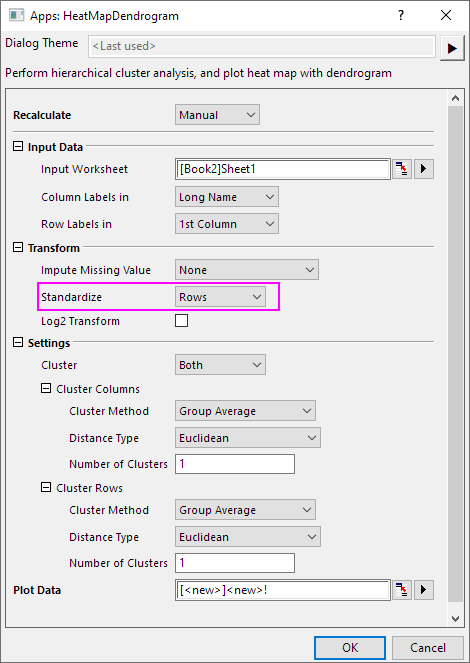
- Click on the Heat Map with Dendrogram icon to open the dialog.
- In the dialog, select Rows from Standardize drop-down list. The dialog settings is shown as below.
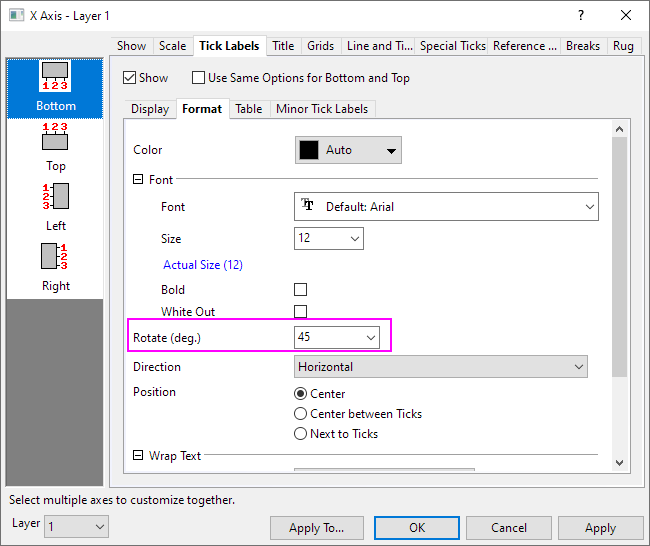
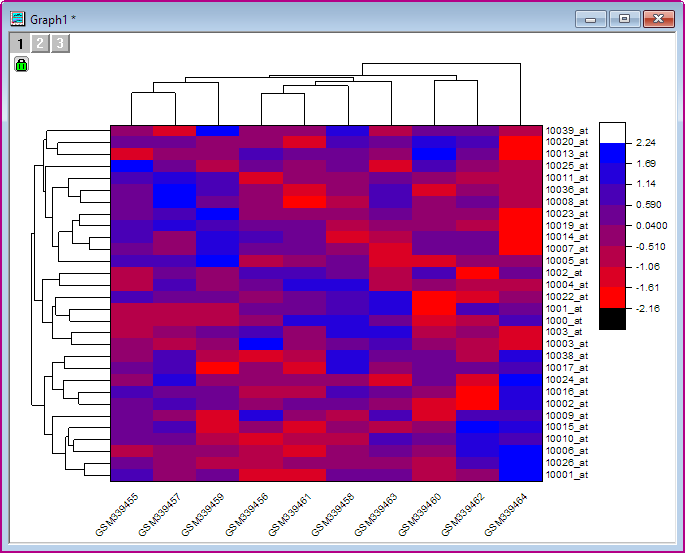
Note: Pressing F1 key, the help file for this dialog will pop-up. - Click OK. A Heat Map graph is created. Double click on X axis, in the opened X Axis dialog, go to Tick Labels tab, select Format sub-tab, and choose 45 from Rotate (deg.) combo box. Click OK button.
- The graph will look like as below.