4.6 GeoTIFF Export
Summary
The GeoTIFF Export app is to export matrix objects in a matrix sheet as GeoTIFF format files in a time. It is useful for exporting processed analysis results of GIS data as GeoTIFF images.
 | For more details of netcdf and geotiff files importing and processing, please refer to the pages below
|
Tutorial
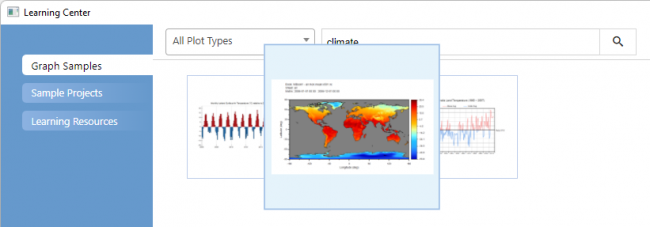
- Choose menu Help: Learning Center to open the Learning Center dialog
- Type climate in the Search text box and choose the image below to open the sample file in Origin
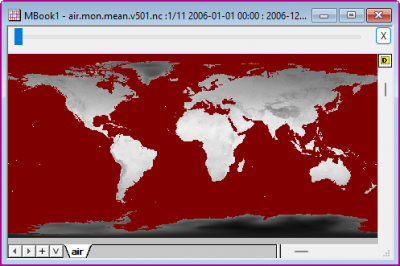
- In the matrix window there are yearly average data from 2006 to 2016, which are calculated from a NC file during importing. Activate the window
-
- Click on the GeoTIFF Export icon
 from the Apps Gallery.
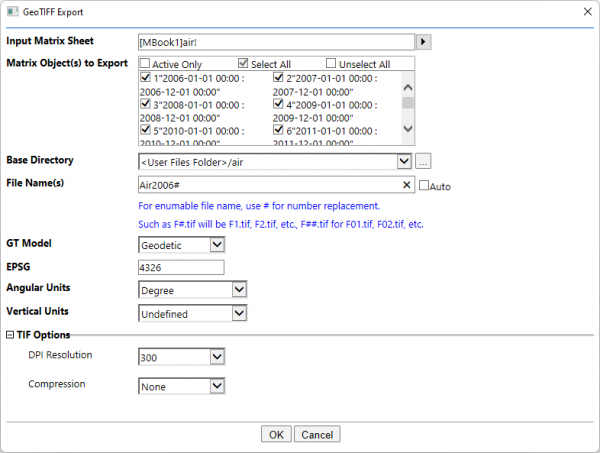
 - In the opened dialog, all 11 objects in the matrix sheet will be automatically selected. Modify the Base Directory to be <User Files Folder>/air. Change Angular Units to be Degree click OK botoon
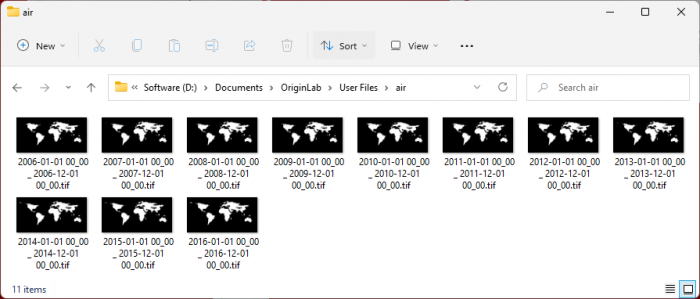
- Each matrix object will be exported as a GeoTIFF file
-