Hinweis:Dieser Abschnitt ist nur in englischer Sprache verfügbar. Wir bitten um Ihr Verständnis.
1.15 Forest Plot
Contents
Summary
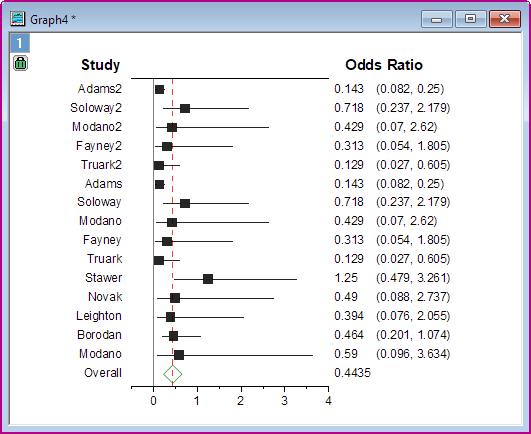
The Forest Plot app is used to create Forest Plot with optional weight for each study.
Tutorial
- Download this Forest_Plot_Sample.zip file. Open the Forest_Plot_Sample.opju in this zip file. Active Book1.
- Select the Forest Plot icon
 in the Apps Gallery window to open the dialog.
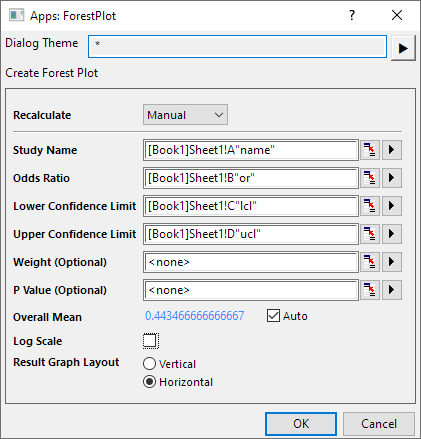
- Set Col(A) to Study Name, Col(B) to Odd Ratio, Col(c) to Lower Confidence, Col(D) to Upper Confidence and Col(E) to Weight(Optional). Uncheck Log Scale.
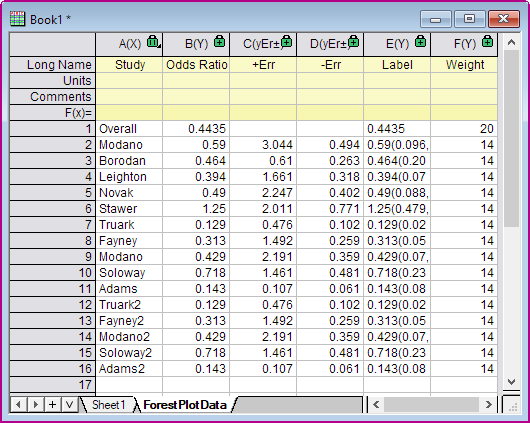
- Click OK. The Forest Plot and ForestPlotData sheet will be created.
- Click the green lock icon on the graph to reopen the dialog, then you can update the options setting.