2.47 Fitting Function Library
Summary
This Fitting Function Library app allows Origin user search, find and add new fitting functions to Origin. Simply select the function and click a button to download the FDF file and add the function to Origin, then find and use it when perform fitting.
Tutorial
- Start this tutorial with the app Fitting Function Library installed. If you have not installed this app, please click Add Apps button in Apps Gallery to open App Center to search and install the app.
- Click the app icon to open Fitting Function Library app.
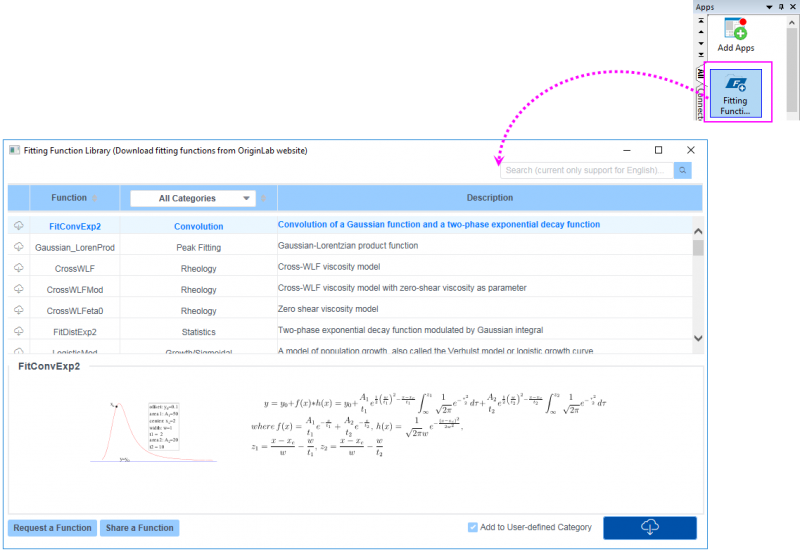
- Please note, this App needs to download the necessary image files of sample curve and formula from Origin server when you open it for the first time. So if you find this app is initializing, expect a bit of a delay.
- This time, we are going to find a convolution function of Gaussian function and 3-phase exponential function. select Convolution for All Categories column header, and then all availiable convolution functions will be listed in the table. Find the function "FitConvExp3" and then you can check the sample curve and formula in the bottom panel.
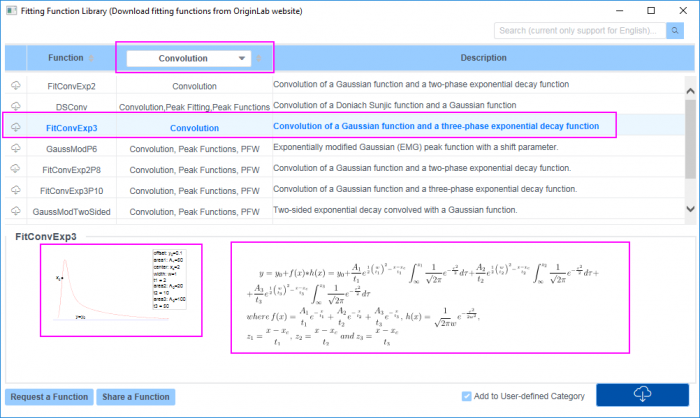
- You can also enter the function name or keyowrds in the Search box to search the function you desired.
- Click Downlod button to download this function you found. With the box Add to User-defined Category checked, this function will be downloaded from Origin server and save in <User File Folder\fitfunc>.

- If you haven't found the function you desired, you can click Request a Function button to submit request on what you desire.
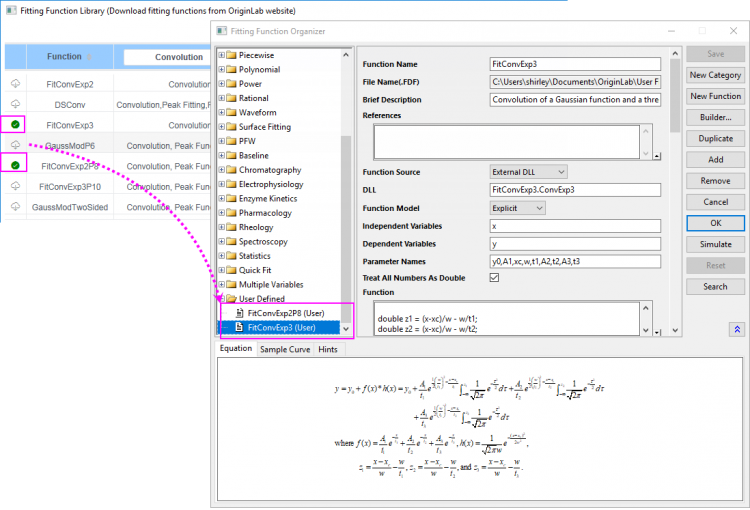
- Once you have downloded the functions you want, you can open Fitting Function Orgnizer to check these functions which are under the User Defined category.