2.55 Fit Adsorption Isotherm
Contents
Summary
This Fit Adsorption Isotherm App provides a convenient way to transform your raw data related to adsorption isotherm into a linear dataset with various types of the model provided, and perform linear fitting with the new dataset.
Note: the App only supports one independent variable (x) and one dependent variable (y).
Tutorial
- Right-click the Fit Adsorption Isotherm icon
 in the Apps Gallery window, and select Show in Folder.
- The Fit Adsorption Isotherm.opju project file is in the pop-up folder. Open this project file in Origin.
- Active LangmuirModel workbook, and click the Fit Adsorption Isotherm icon in the Apps Gallery window.
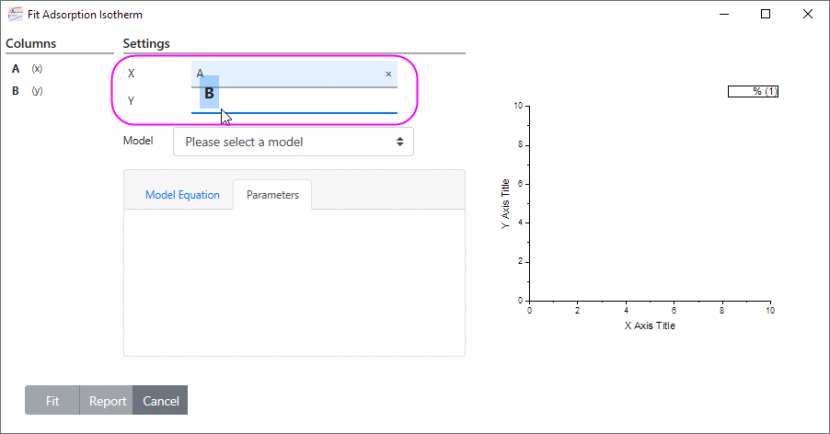
- In the dialog, drag Column A as Input X and Column B as Input Y.
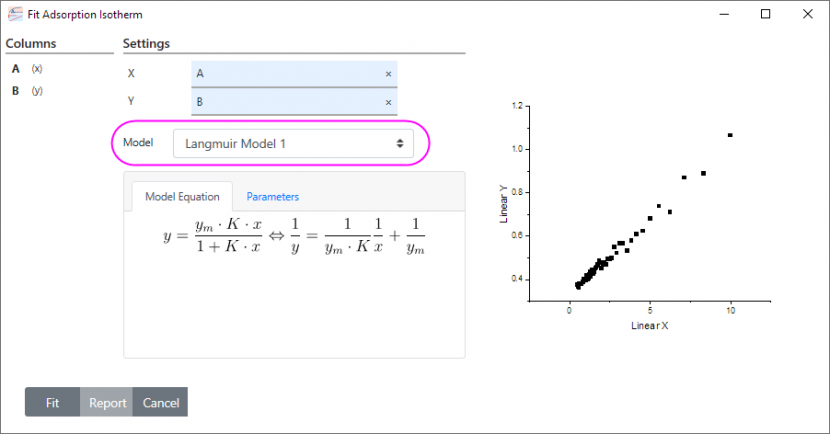
- Select Langmuir Model 1 as Model, optionally double check the expressions shown on Model Equation tab.
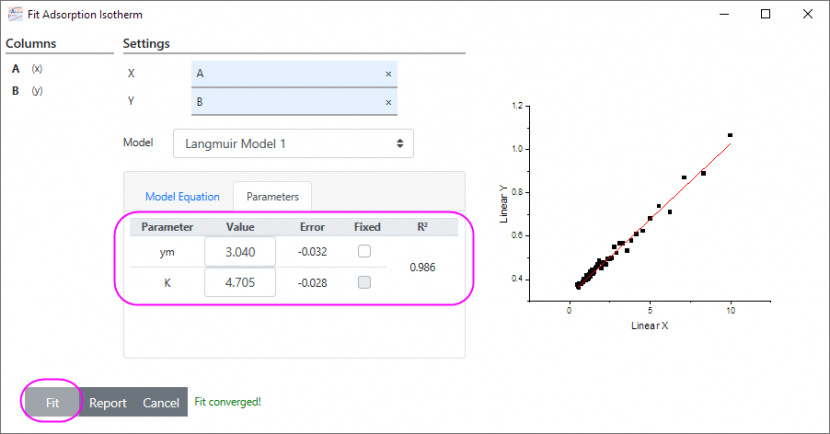
- Click Fit button to perform linear fit.
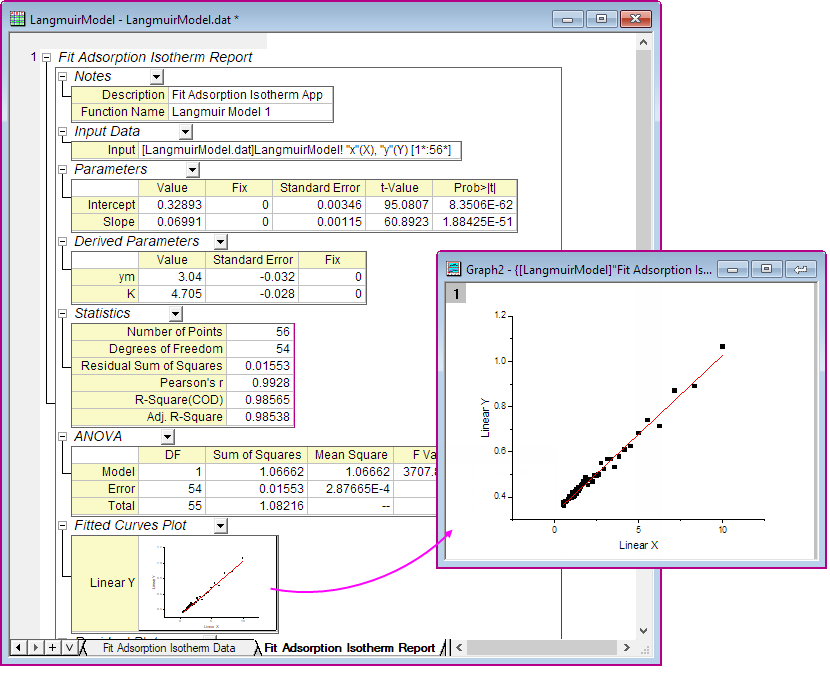
- Click Report button to output the fitting report.