Hinweis:Dieser Abschnitt ist nur in englischer Sprache verfügbar. Wir bitten um Ihr Verständnis.
1.31 Extract Graph Data
Contents
Summary
This Extract Graph Data app is used to extract all the data plotted in a graph.
Tutorial
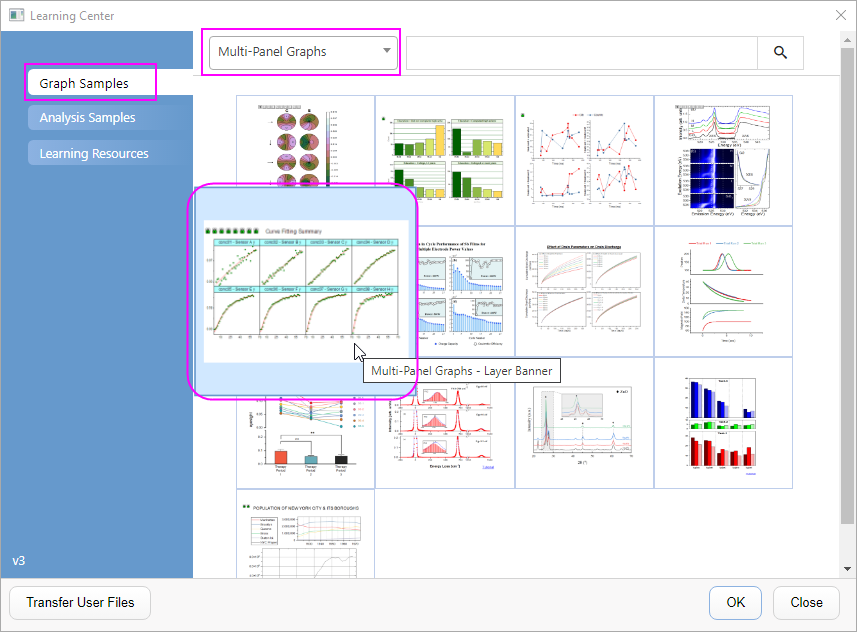
- Select Help: Learning Center in the menu.
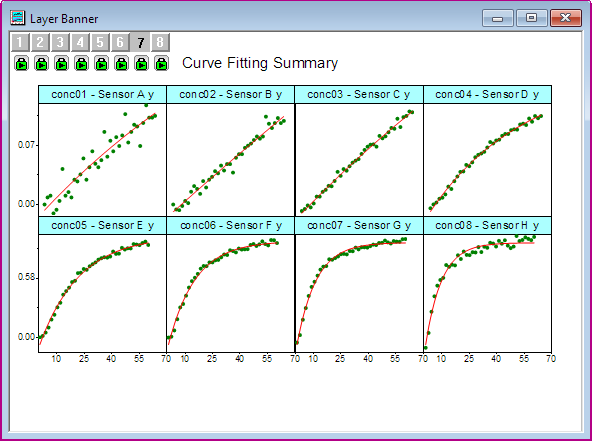
- In Graph Sample tab, select Multi-Panel Graphs in the drop-down list. Then double-click to select Multi-Panel Graphs - Layer Banner sample graph to open the project file.
- Active the Layer Banner graph, and click the Extract Graph Data icon
 in the Apps Gallery.
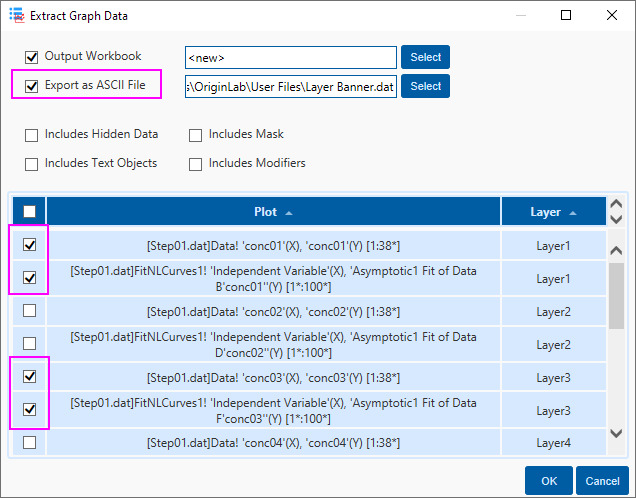
- In the Extract Graph Data dialog, check the Export as ASCII File option, and then select the 4 plots in Layer1 and Layer3. Click OK button.
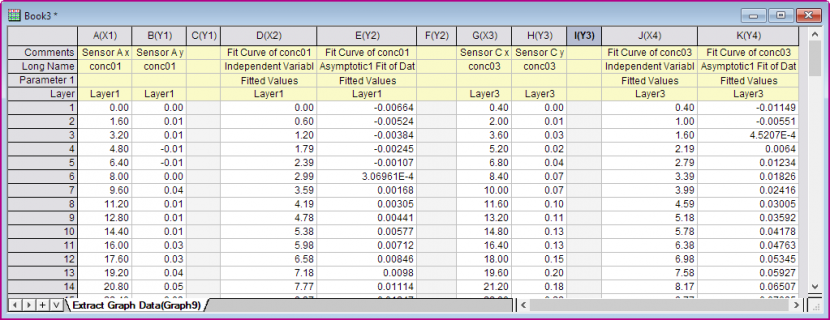
- A new Workbook is created for the extracted graph data. And the ASCII file Layer Banner.dat is exported in the User File folder