2.4 Decision Tree Analysis (Pro)
Summary
This Decision Tree Analysis app is used to fit binary decision tree for classification.
Tutorial
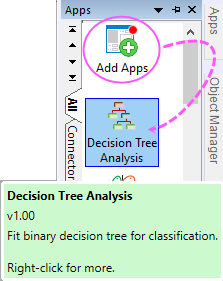
- Start this tutorial with the app Decision Tree Analysis installed. If you have not installed this app, please click Add Apps button in Apps Gallery to open App Center to search and install the app.
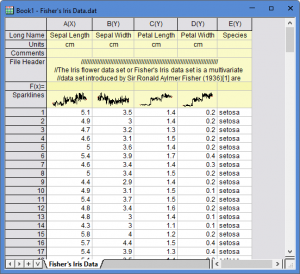
- New a workbook and then select Data > Connect to File : Text/CSV menu to import the sample file <Origin Program Folder>\Samples\Statistics\Fisher's Iris Data.dat.
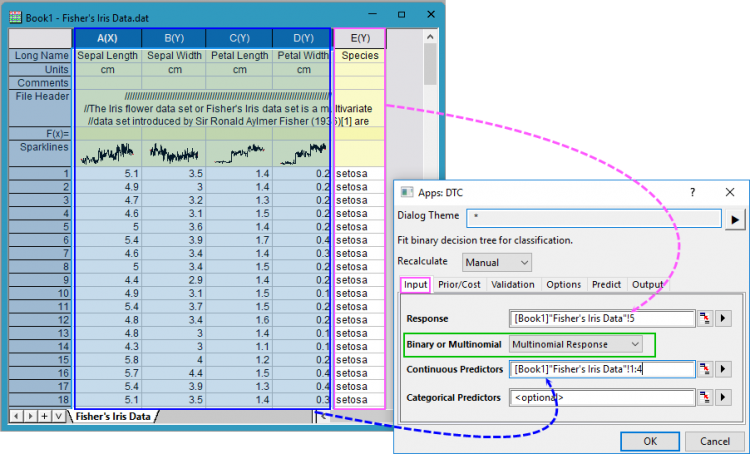
- Highlight Col(E), and click the app icon to open the dialog.
- In the Input tab, column E is as Response automatically.;
- Set Binary or Multinomial as Multinomial Response, because there are 3 levels in Response column "col(E)";
- Click the first button next to the text box of Continuous Predictors, and then select from column A to column D from the worksheet.
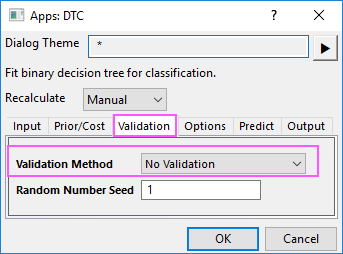
- Go to Validation tab, set Validation Method to No Validation.
- Keep other settings as default values, and click OK button to get the results.
- Result Tables:
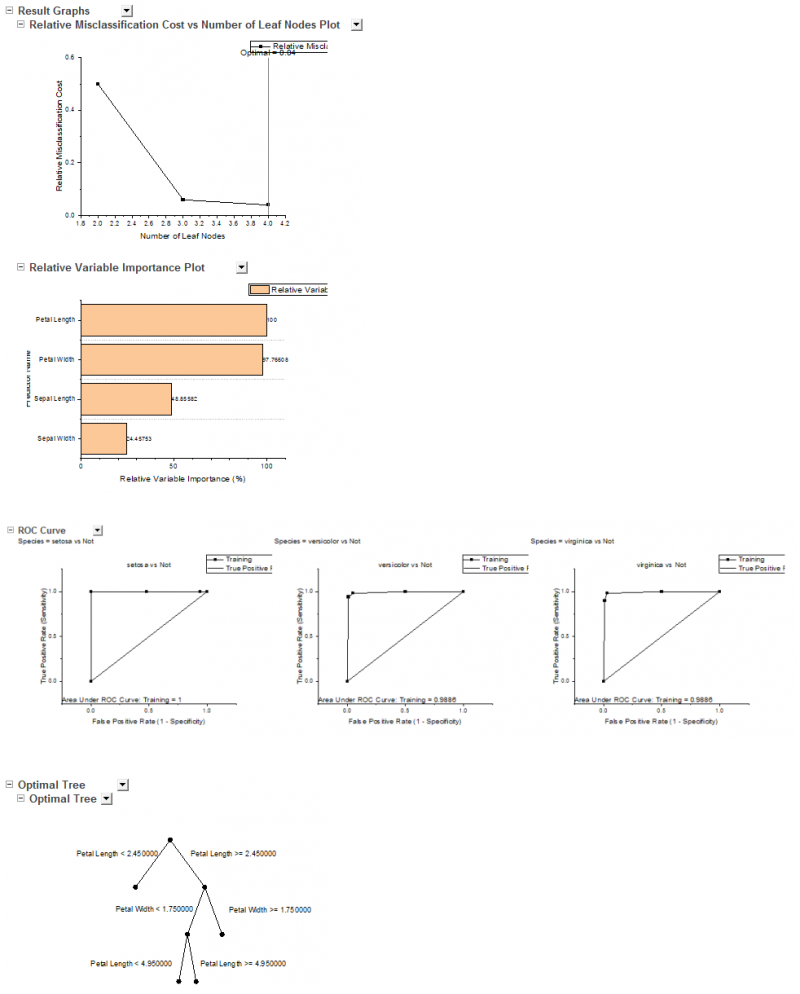
- Result Graphs:
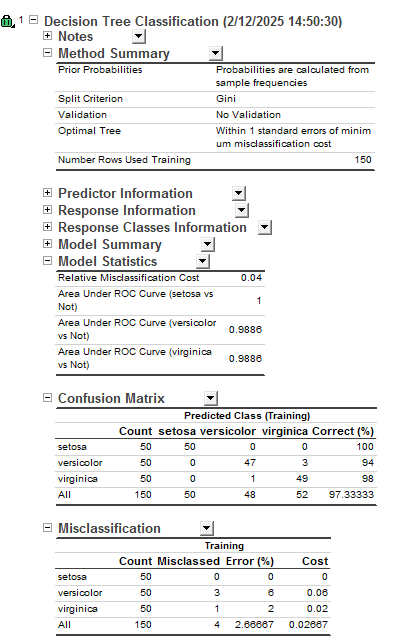
- Result Tables:
If to do prediction, just go to the predict tab, and select the predictors for prediction. The prediction input data should have the same structure with the input data for training the tree.