1.18 Data Highlighter
Contents
Summary
This Data Highlighter app can be used to color multiple sections of a scatter plot, line plot or line+symbol plot. It adds a new column to mark the specified region of a plot, and apply this column as color index to highlight range.
Tutorial
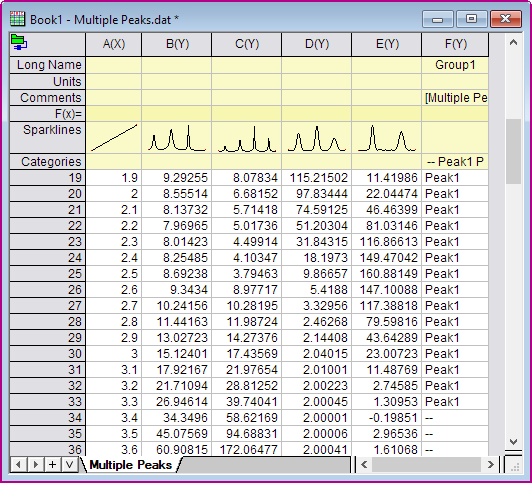
- With a worksheet window activated, select Data: Connect to File: Text/CSV in the menu to import the sample file <Origin program folder>\Samples\Samples\Curve Fitting\Multiple Peaks.dat.
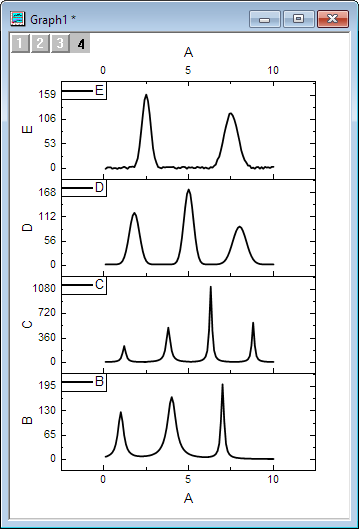
- Highlight Column B to E and select Plot: Multiple-Panel/Axis: Stack, and click OK to create line plots by default setting. And set all lines width to 3 in Graph1.
- Active the graph window, and click on the Data Highlighter icon
 to open the dialog. And a new Copy graph window the same as Graph1 will created .
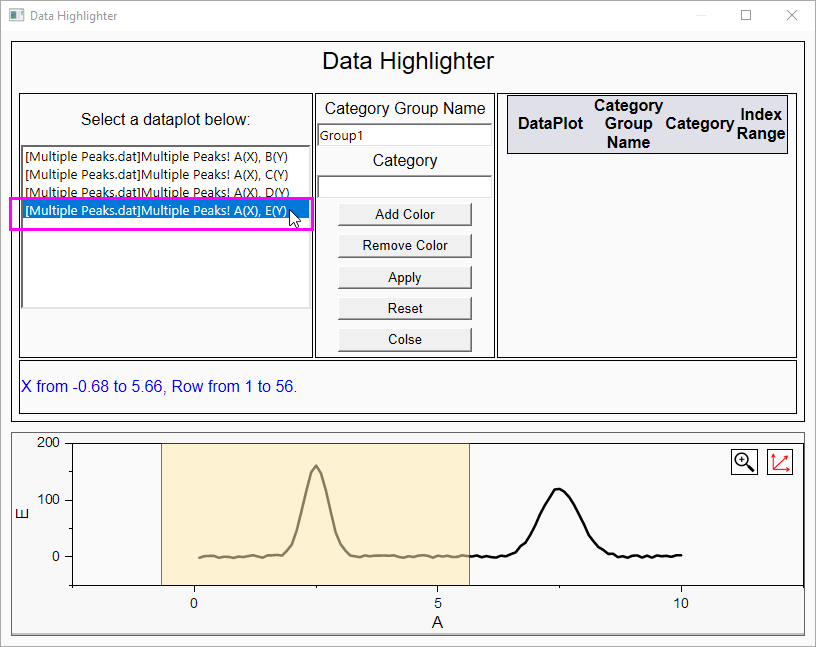
- In the pop up dialog, select the E plot in the left side panel.
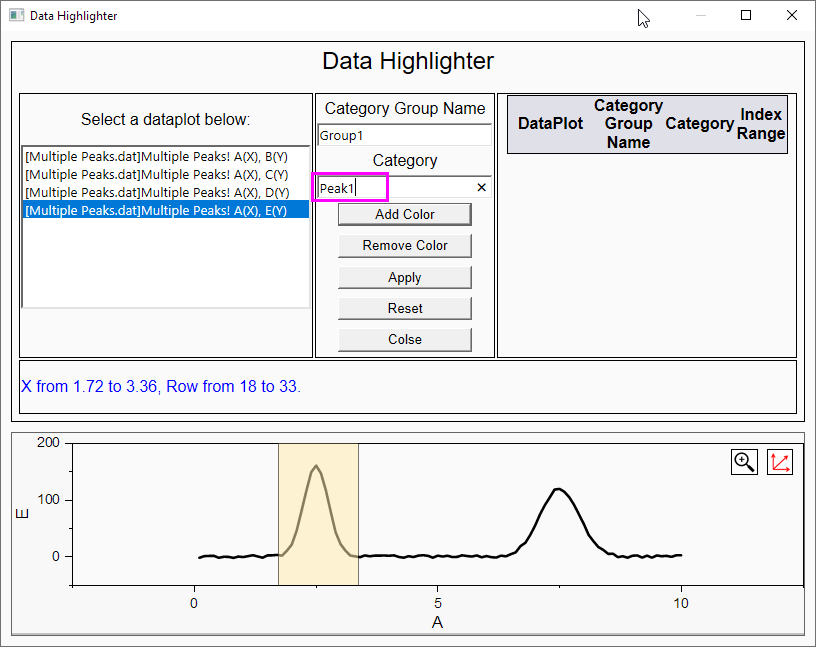
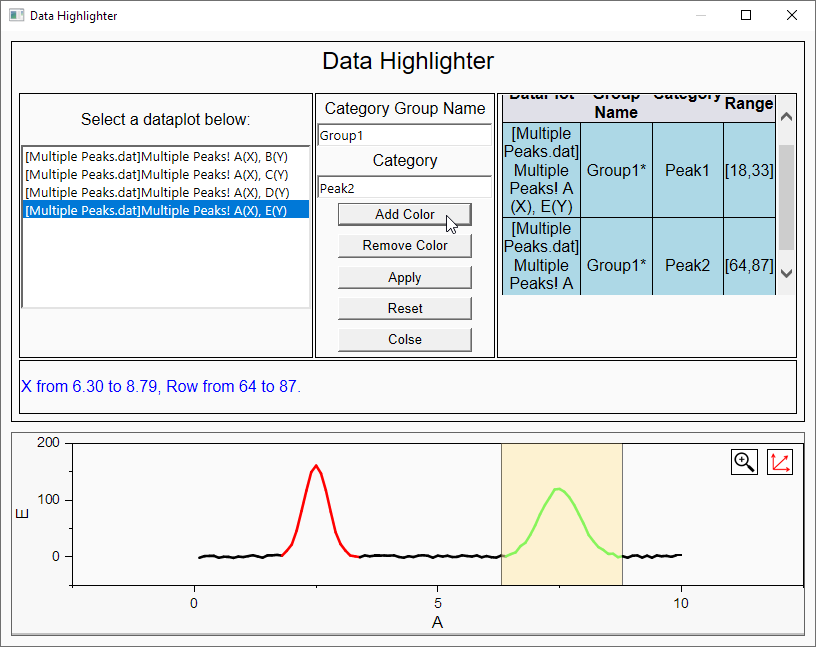
- Move the ROI polygon to the first peak in the preview panel (at the bottom of the dialog). Enter Peak1 in Category edit box. (Keep to use Group1 as Category group name)
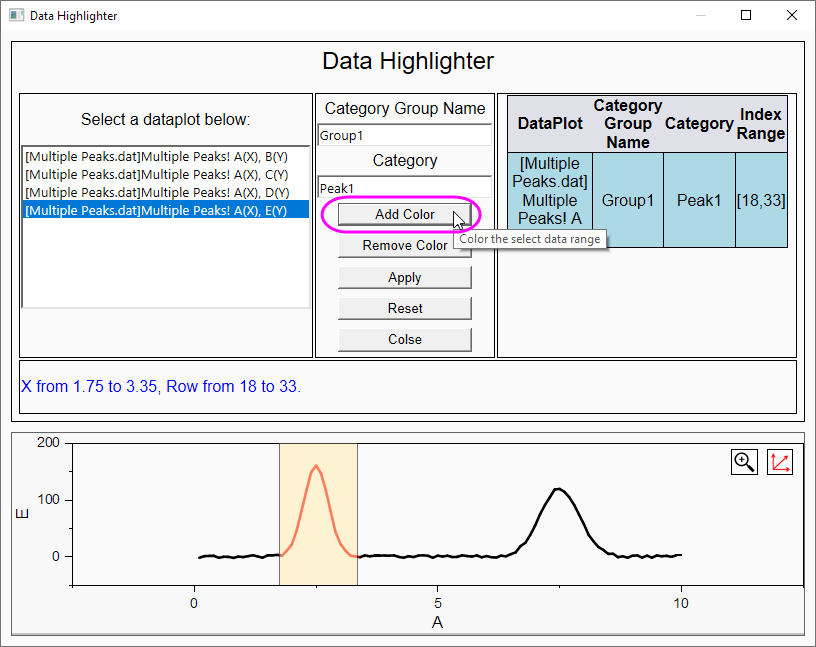
- Click Add Color button.
- In the preview panel, the color of the line in the specified region is change.
- In the right-side panel, the data range information is added in the table.
- The Group1 column is added to the source worksheet. The plot in the preview window is index colored referencing to this column.
- Move the ROI polygon to the second peak in the preview panel, and enter Peak2 in Category box. Click Add Color button.
- In the preview panel, the color of the line in the specified region is change.
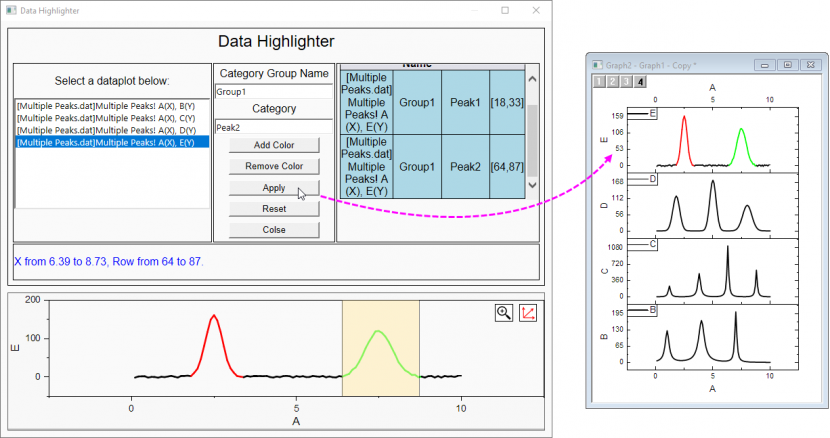
- In the right-side panel, the data range information is added in the table.
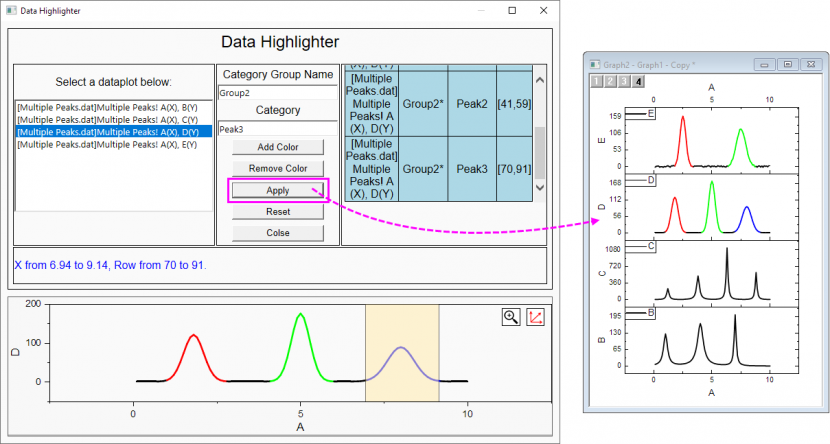
- Click Apply button. It specifies the new column Group1 as color index of the E plot in Copy graph
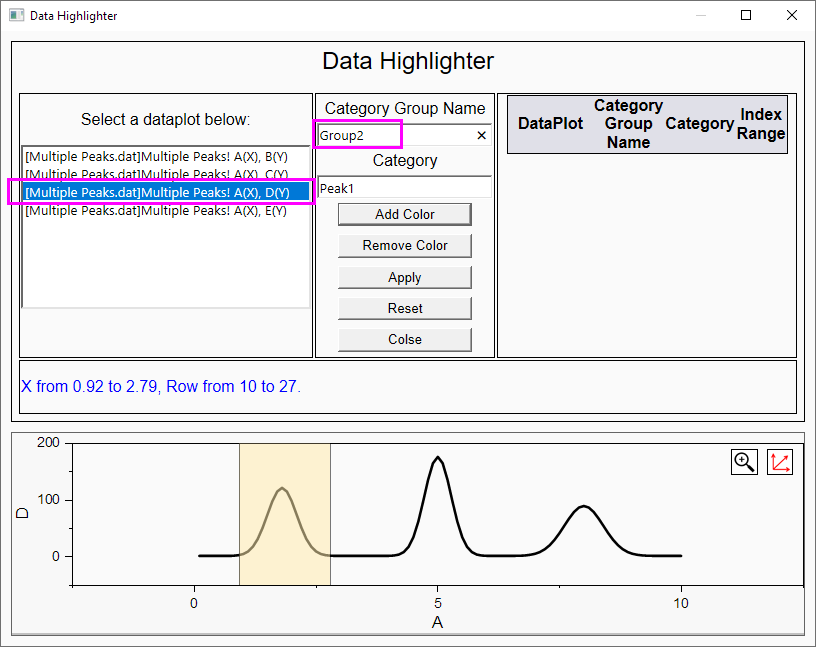
- Select D plot in the left side panel. Move the ROI polygon to the first peak in the preview panel. Because we custom color for another plot, we change the Group2 as Category group name, and enter Peak1 in Category box.
- Reply above steps to add color and apply for the three peaks.
- Click Close button to finish the data highlight setting.