Hinweis:Dieser Abschnitt ist nur in englischer Sprache verfügbar. Wir bitten um Ihr Verständnis.
2.10 Curvature Radius App
This Curvature Radius App can be used to calculate the radius of curvature at a specified point. After install this app, there should be an app icon named Curvature Radius in Apps panel.
Examples
- Make an empty worksheet active, then select menu item File: Import: Single ASCII... to import the Gaussian.dat file, which is under <Origin Installation Directory>\Samples\Curve Fitting\, using the default settings.
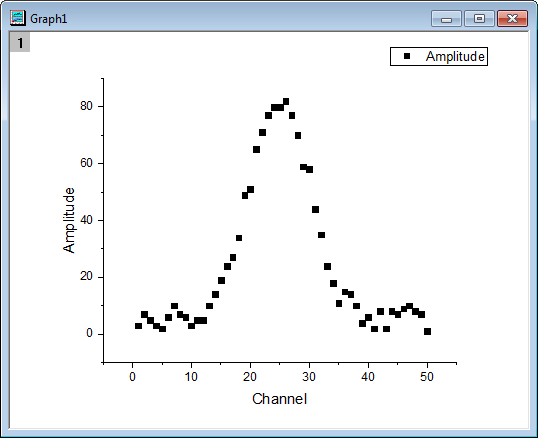
- Select column B, then choose menu item Plot: Symbol: Scatter to make a graph one plot.
- Make this graph to be the active window, Click Curvature Radius icon from Apps panel to bring up the Curvature Radius app.
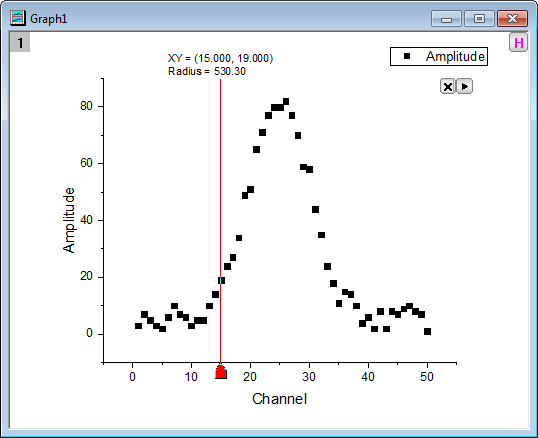
- Use the default settings and click OK button to add ROI to graph.
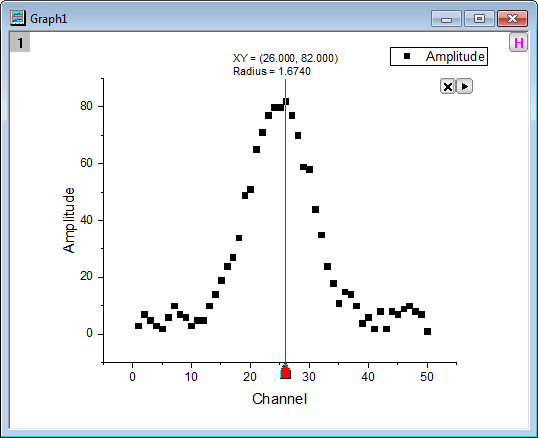
- Move the vertical line to the highest point, and then you can see the corresponding curvature radius is shown on the top of the vertical line.
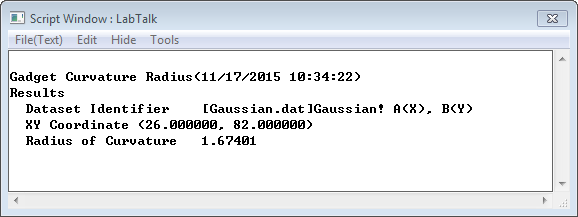
- Click the
 button, and then select New Output (O), then the result will be printed to Script Window.
Dialog Settings
ROI Box Tab
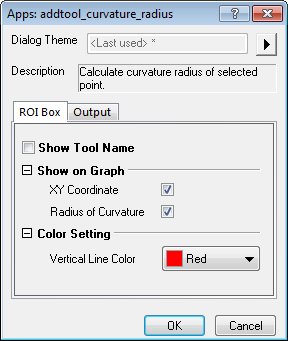
| Show Tool Name | Specify whether to show the tool's name near the top of the layer. |
|---|---|
| Show on Graph | Specify what to show on the graph.
|
| Color Setting | Specify the displaying color.
|
Output Tab
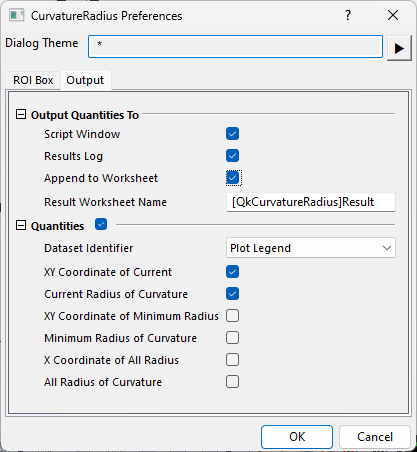
| Output Quantities To | Customize the output results
|
|---|---|
| Quantities | Specify the quantities to be outputted.
|
Fly-out Menu
Click the button at the upper-right corner of the layer to expand the fly-out menu, which includes the following options.
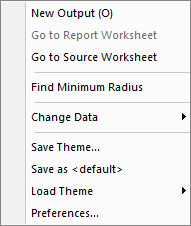
| New Output (O) | Output the results to the specified windows (Script Window or Results Log), and the specified worksheet (if not empty, append the results). |
|---|---|
| Go to Report Worksheet | Activate the report worksheet. |
| Go to Source Worksheet | Activate the source data worksheet. |
| Find Minimum Radius | Find the minimum radius in a specified x range and move the vertical line to that place. |
| Change Data | Select the source data set. This is applicable only when there are multiple curves on the graph. |
| Save Theme | Save the settings as a theme. |
| Save as <default> | Save the settings as default theme. |
| Load Theme | Load theme settings. |
| Preferences | Open the Curvature Radius Preferences dialog. |
Algorithm
In this gadget, the calculation for radius of curvature is assuming the curve is written in the form \(y = f(x)\), and then the radius of curvature is given by:
\[ R = \frac{(1+(\frac{dy}{dx})^2)^{3/2}}{|\frac{d^2y}{dx^2}|} \]
If the first order derivative or the second order derivative does not exist, the radius of curvature at that point does also not exist.