Hinweis:Dieser Abschnitt ist nur in englischer Sprache verfügbar. Wir bitten um Ihr Verständnis.
2.72 Calcium Transient Analysis
Contents
Summary
The App Calcium Transient Analysis is used to perform calcium transient analysis
Tutorial
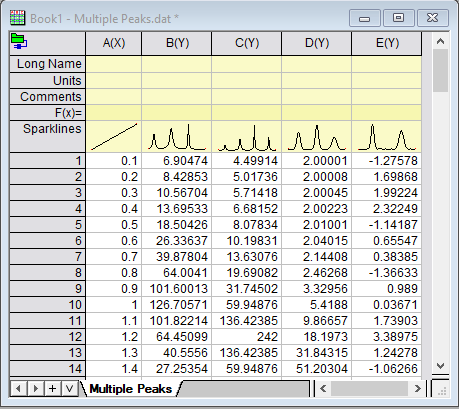
- New a workbook, and then select Data: Connect to File > Text/CSV to open the sample file \Samples\Curve Fitting\Multiple Peaks.dat. There are four samples(Y columns).
- Click the app icon in App Gallery to open the dialog. With the dialog opened, a new workbook will also be created.
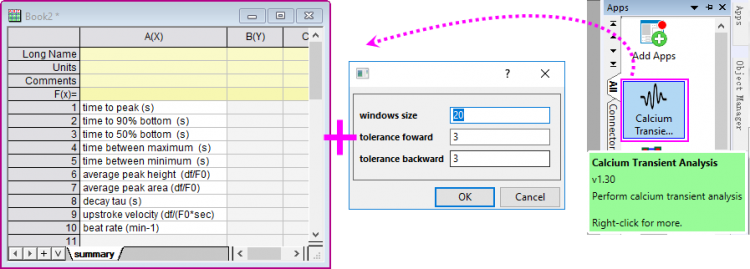
- In this mini dialog, you can set the window size to specify the window size to search local maximum; set the tolerance forward and tolerance backward to specify the tolerance value to seach for the beginning and end of the peak.
- The rows in worksheet indicate that which result values will be output to summary sheet for each column.
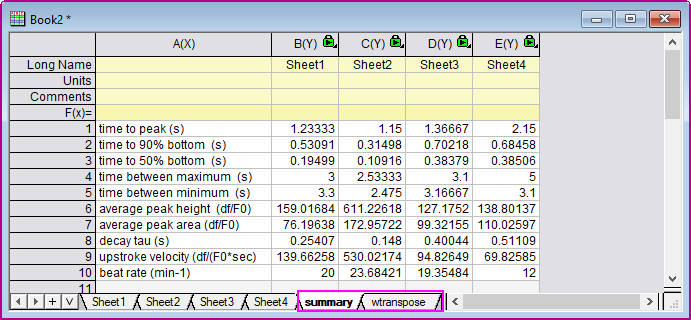
- Keep the default settings. Click OK button, a new book will be created with four sepereate sheets(for 4 source columns), one summary sheet and its transposed sheet.
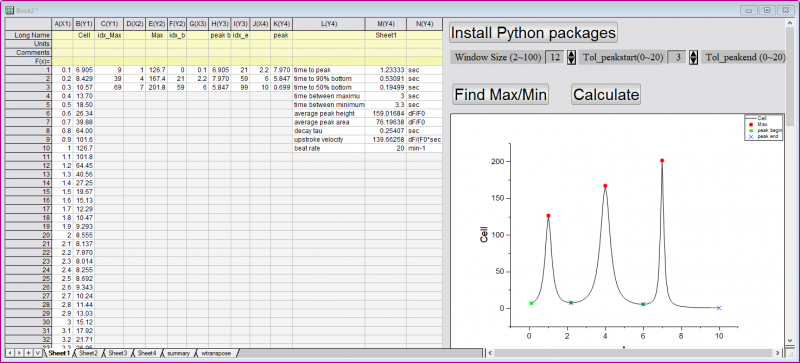
- In each sepereate sheet, there is a panel beside the result columns. You can click the buttons/arrows to reset the controls and click Calculate button to perform the analysis and preview the corresponding transient results in the graph.
- Go to the sheet Summary or its reansposed sheet wtranspose to check the final results.