2.54 Canonical Correlation Analysis
Contents
Summary
The Canonical Correlation Analysis app is used to measure the correlation between two multidimensional variables. It transforms them into two combinations of canonical variates by finding a set of linear coefficients. The coefficients are chosen so that they maximize the correlation between the two combinations of canonical variates. The number of canonical variates equals the smaller dimension of the two source variables.
Tutorial
- Right-click on the Canonical Correlation Analysis icon
 from the Apps panel, and select Show Sample Folder to open the sample folder.
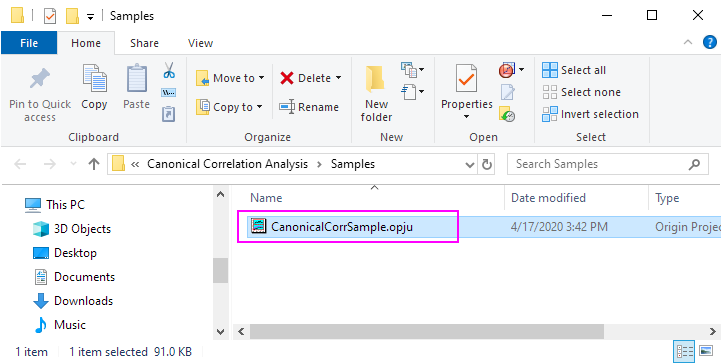
- Open CanonicalCorrSample.opju in the sample folder.
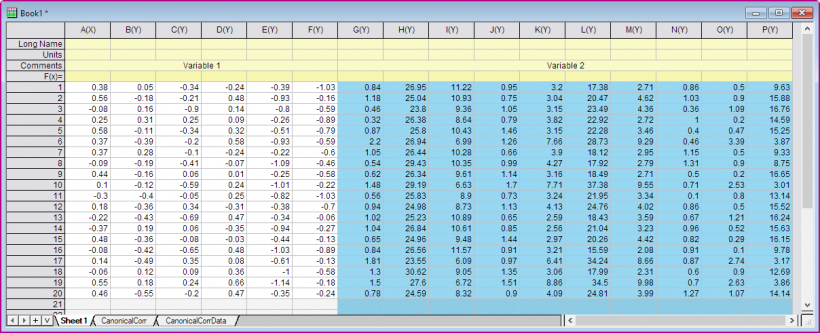
- Select Book1 Sheet1, then you will find that in this example, Variable 1 has 6 dimensions and Variable 2 has 10 dimensions. We hope to transform both of them into two combinations of 6 canonical variates and the correlations between the canonical variates are calculated.
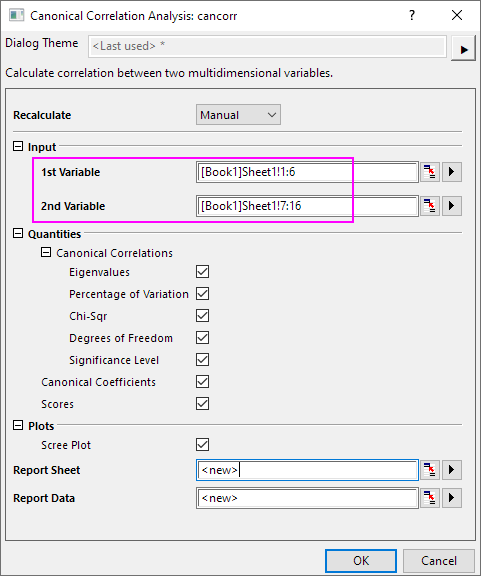
- Click the Canonical Correlation Analysis icon in the Apps panel again to open the dialog.
- Select Col(A): Col(F) for 1st Variable. Select Col(G):Col(P) for 2nd Variable.
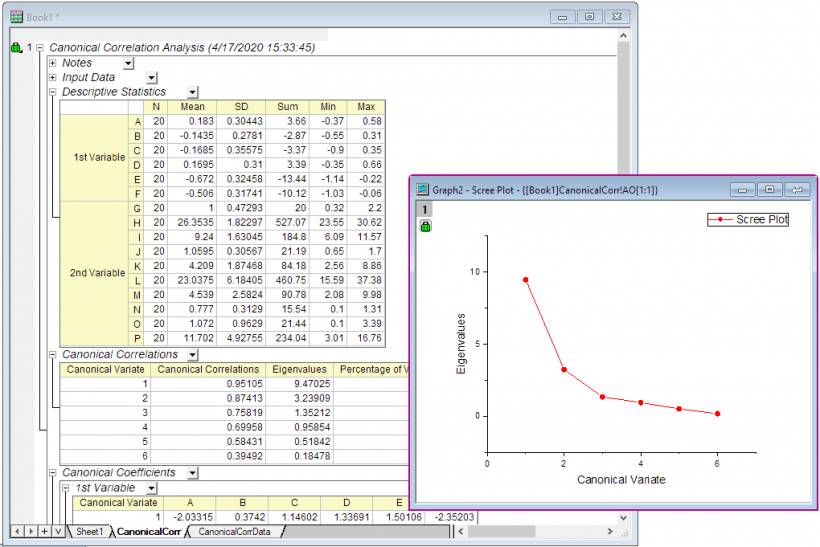
- Click OK button to output report sheet.