2.63 Apparent Integration(Pro)
Summary
The App Apparent Integration is used to calculate apparent integral in Cartesian and polar coordinates according to the current axis scales.
Tutorial
- Start this tutorial with the app Apparent Integration installed. If you have not installed this app, please click Add Apps button in Apps Gallery to open App Center to search and install the app.
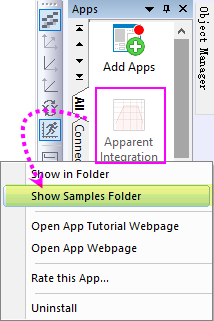
- Once the app has been installed, right-click on the app icon to select Show Samples Folder context menu to find the sample project "Apparent Integration Sample.opju".
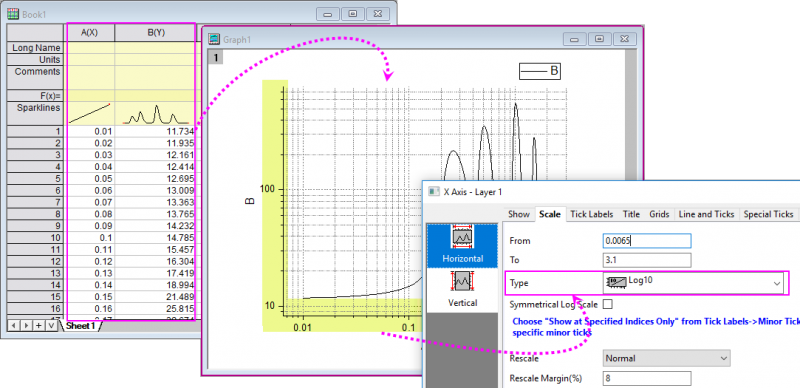
- Drag-and-drop this opju file into Origin workspace. Activate the source graph plotted from the workbook "Book1". As you can see, the X and Y axis scale of this graph is log10.
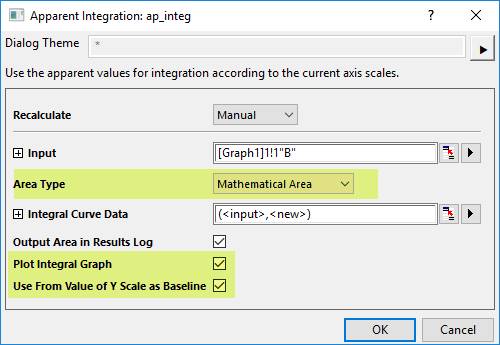
- Click the app icon to open the app dialog. Set Area Type to Mathematical Area, check the Plot Integral Graph and Use From Value of Y Scale as Baseline check box.
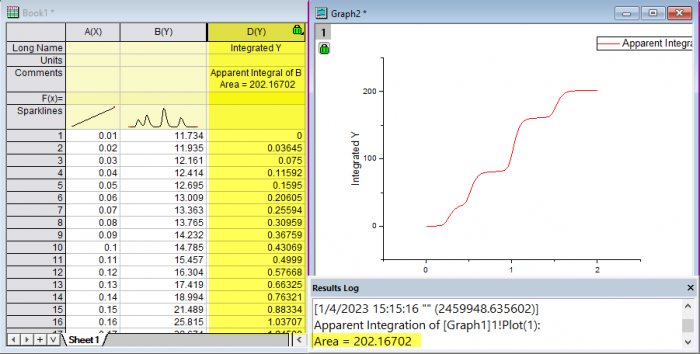
- Click OK button. A graph with integral curve, a result column with integral data and a message in Results Log will be created to show you the integration results from the apparent curve.