2.57 ANOVA from Summary Data
Contents
Summary
This App performs ANOVA from summary data including sample size, mean and standard deviation. It currently supports one-way ANOVA (not repeated measures).
Tutorial
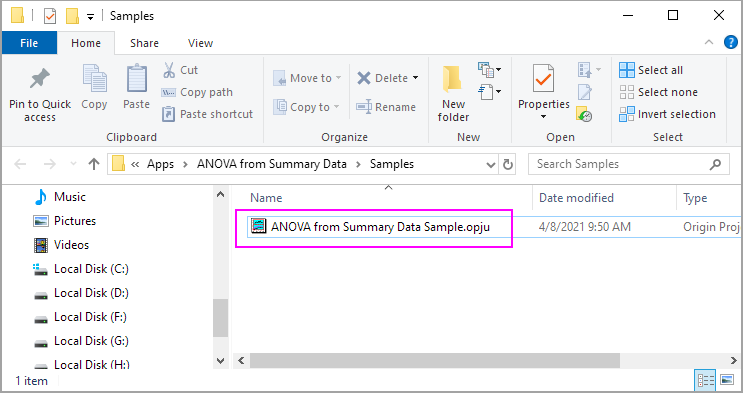
- Right-click on the ANOVA from Summary Data icon
 from the Apps panel, and select Show Sample Folder to open the sample folder.
- Open ANOVA from Summary Data Sample.opju in the sample folder.
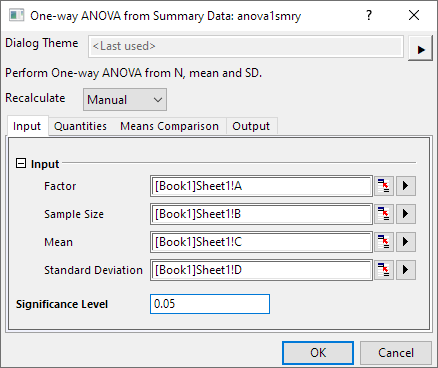
- Highlight Column A to D in the Sheet1 of Book1, then click on ANOVA from Summary Data icon to open the dialog. Use dialog default setting, and click OK.
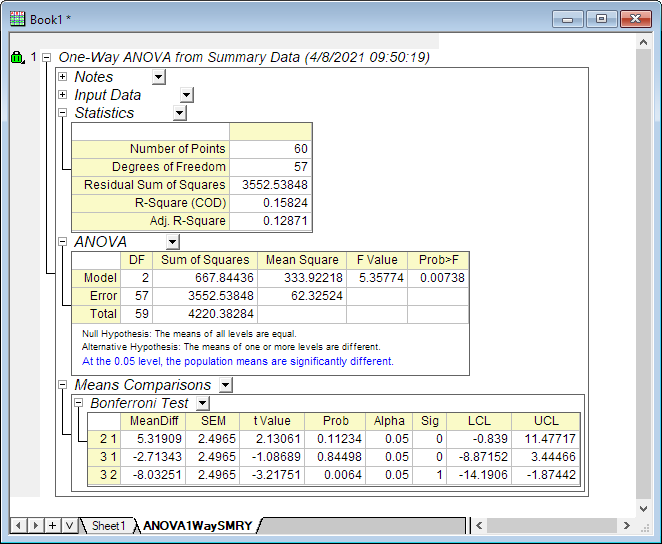
- You will get the report in the ANOVA1WaySMRY sheet.