2.71 Advanced Time Series Analysis (Pro)
Summary
The Advanced Time Series Analysis app provide three tools for time series data.
- Stationarity test: Test stationarity in time series data using Augmented Dickey-Fuller (ADF) test and Kwiatkowski-Phillips-Schmidt-Shin (KPSS) test.
- Granger causality test: Perform Granger causality test between two time series.
- Prewhitening: Prewhiten data using AMRIMA model. Determine an ARIMA model for the x-variable and calculate its residuals. Use the ARIMA model to fit y-variable and calculate the residuals for y-variable. Their residuals are used as prewhitened data.
 | The required Python library for the app will be automatically installed when the App is launched in the first time. Please restart Origin after the download is completed.
|
Sample OPJ
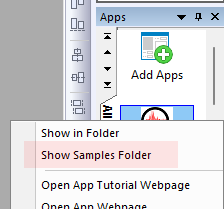
- Right click on the app in Apps Gallery and choose Show Samples Folder from the context menu
- Drag and drop the project file in the opened folder to Origin to open it
Stationarity Test
A stationary series is one in which the mean, variance and covariance do not vary with time. The app test stationarity in time series data using Augmented Dickey-Fuller (ADF) test and Kwiatkowski-Phillips-Schmidt-Shin (KPSS) test.
- Open the Sample OPJ in Origin, in the left Project Explorer, select folder 1.Stationarity Test
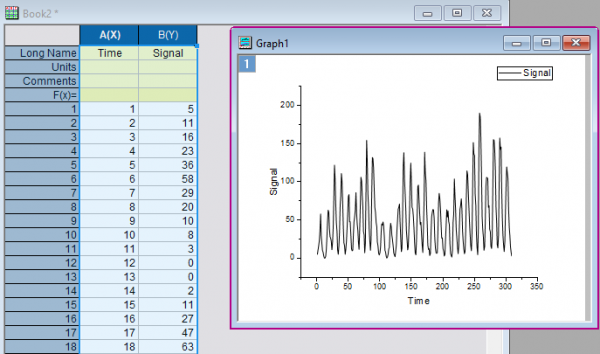
- We are going to test the stationarity for the signal, column A, B
-
- Click the Advanced Time Series Analysis icon
 on Apps Gallery. A toolbar pops up in Origin
-
- Highlight Col(A) and Col(B) and click the first button in the toolbar.
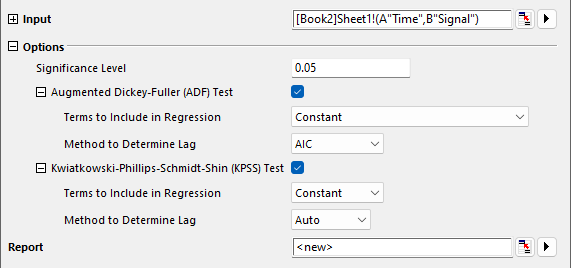
- Set settings in the opened dialog as the image below
-
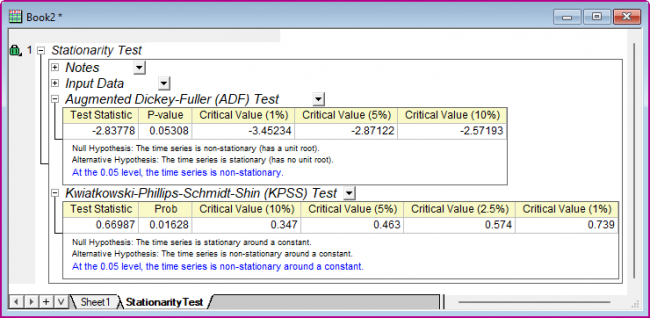
- Click OK to generate the report

Granger Causality Test
- Open the Sample OPJ in Origin, in the left Project Explorer, select folder 2.Granger Causality Test
- Click the Advanced Time Series Analysis icon on Apps Gallery. A toolbar pops up in Origin
-
- Highlight Col(A) and Col(B) and click the second button in the toolbar.
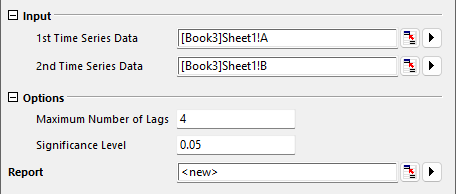
- In the opened dialog, Enter 4 in the Maximum Number of Lags box. Enter 0.05 in the Significance Level box.
-
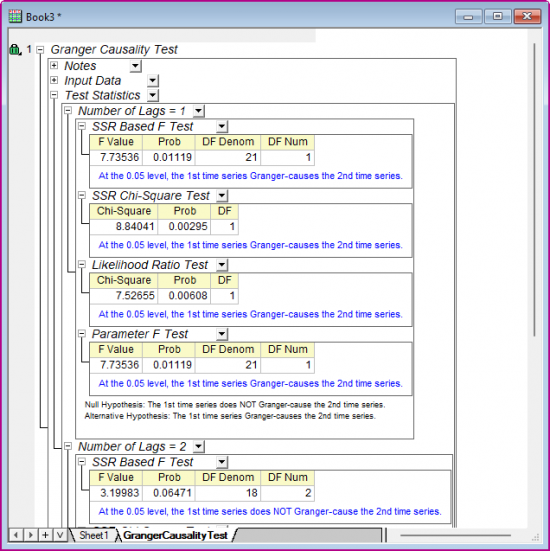
- Click OK to generate the report
Prewhitening
- Open the Sample OPJ in Origin, in the left Project Explorer, select folder 3.Prewhiten
- Click the Advanced Time Series Analysis icon on Apps Gallery. A toolbar pops up in Origin
-
- Highlight Col(A) and Col(B) and click the third button in the toolbar.
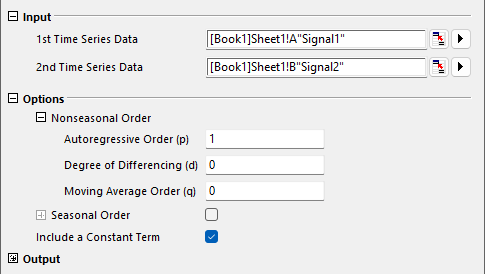
- In the opened dialog, set (p,d,q) to (1,0,0), clear the Seasonal Order check box and selec Include a Constant Term checkbox.
-
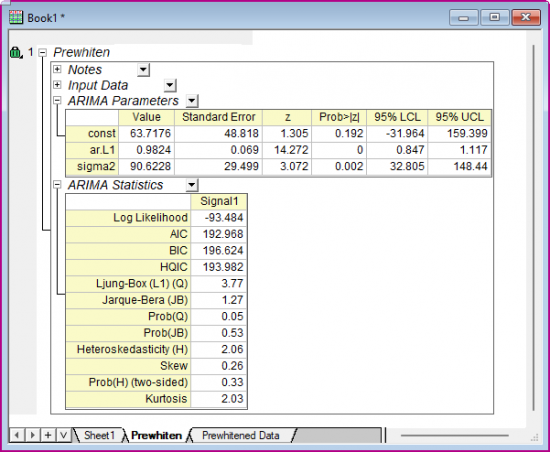
- Click OK to generate the report
-