Hinweis:Dieser Abschnitt ist nur in englischer Sprache verfügbar. Wir bitten um Ihr Verständnis.
2.36 3D Smoother
Contents
Summary
The 3D Smoother app can be used to smooth 3D data from XYZ columns or a matrix.
Tutorial
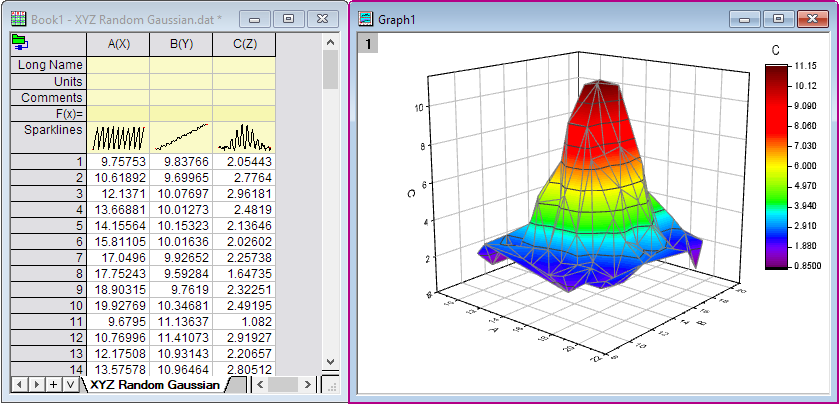
- Import XYZ Random Gaussian.dat in the <Origin EXE Folder>\Samples\Matrix Conversion and Gridding\ folder.
- Right-click on Column C in the Worksheet, and select Set As: Z in the context menu. Select all columns in the worksheet, and then select Plot: 3D: 3D Colormap Surface menu to make a 3D Surface plot. Now, we want to smooth this 3D surfuce.
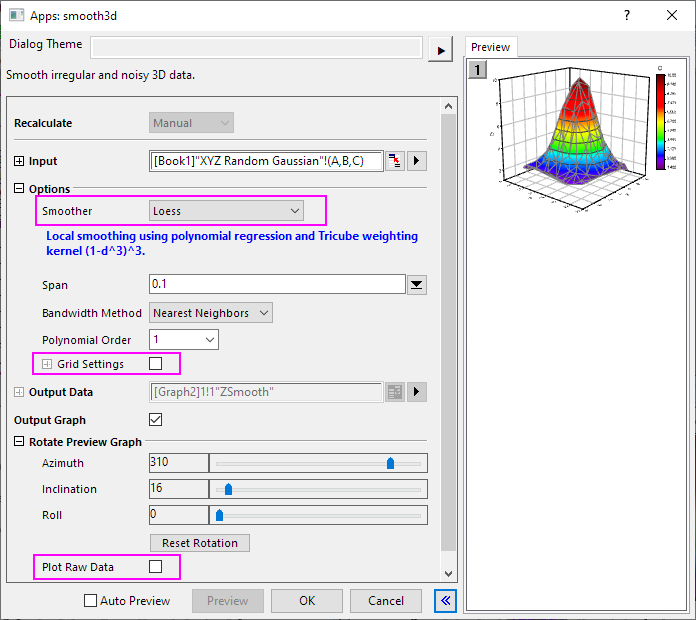
- Select all columns in the worksheet again, click 3D Smoother icon
 from the Apps panel of Origin to open the app's dialog box.
- In the dialog, select Loess as Smoother method. Uncheck Grid Settings and Plot Raw Data option. Click OK.
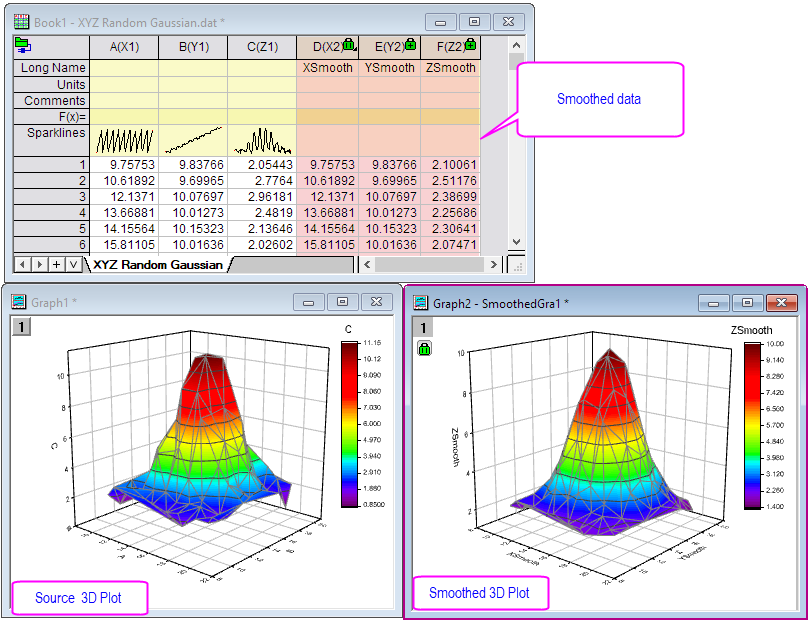
- You will get the smoothed data and 3D plot.