2.36 3D Smoother
Contents
Summary
The 3D Smoother app can be used to smooth 3D data from XYZ columns or a matrix.
Tutorial
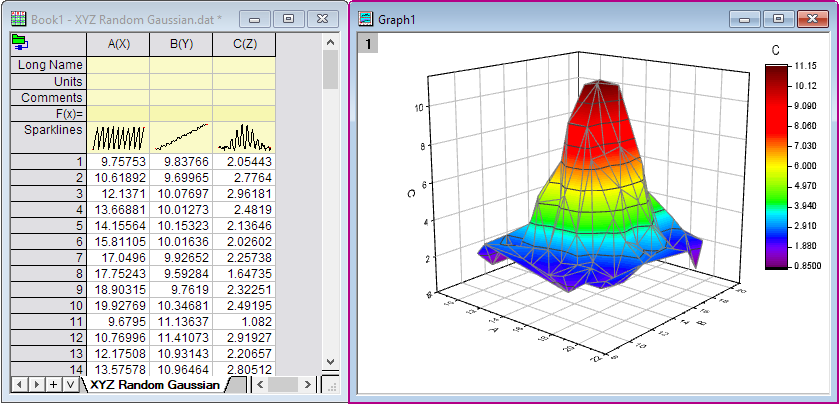
- Import XYZ Random Gaussian.dat in the <Origin EXE Folder>\Samples\Matrix Conversion and Gridding\ folder.
- Right-click on Column C in the Worksheet, and select Set As: Z in the context menu. Select all columns in the worksheet, and then select Plot: 3D: 3D Colormap Surface menu to make a 3D Surface plot. Now, we want to smooth this 3D surfuce.
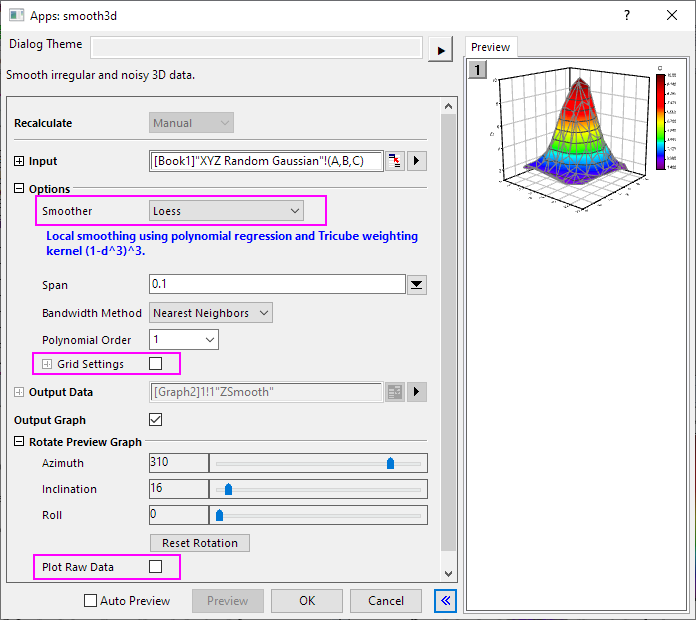
- Select all columns in the worksheet again, click 3D Smoother icon
 from the Apps panel of Origin to open the app's dialog box.
- In the dialog, select Loess as Smoother method. Uncheck Grid Settings and Plot Raw Data option. Click OK.
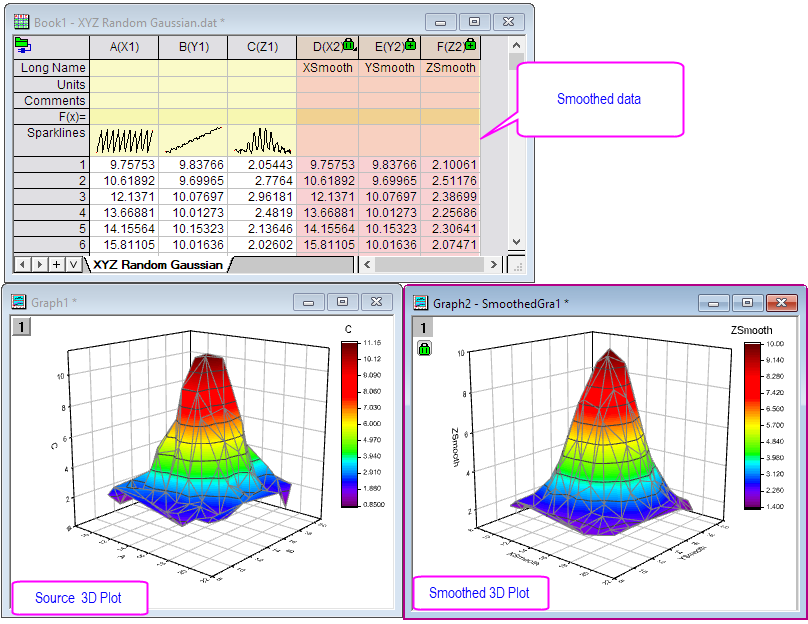
- You will get the smoothed data and 3D plot.