5.88 FAQ-1190 How to turn on/off Dark Mode?
Turn-on-Dark-Mode
Last Update: 11/27/2023
Dark Mode is supported from Origin 2024. By default, if your OS window color is set to Dark Mode, Origin will also launch in Dark Mode.
|
Dark Mode OS Requirement
- Windows 10 (v1809) or windows server 2019 or later.
|
If your Origin launches in Dark Mode but you want Light Mode, or vice versa, you can set it inside Origin.
To turn off Dark Mode
- Set system variable @CTP to 0. That is,
- Select menu Window: Script Window.
- In the Script Window that opens, enter following script and press Enter key to run:
@CTP =0
Note that system variable @CTP is register-based so the settings will be kept across instances.
OR,
- Use Dark Mode toolbar buttons. That is,
- Click Toggle GUI button
 on the Dark Mode toolbar.
Note that Dark Mode toolbar provides more options to switch between modes.
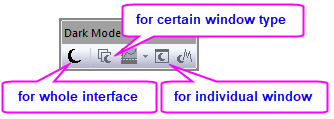
If you cannot find the Dark Mode toolbar, e.g. closed it by mistake when launched Origin first time ,
you can find it back as follow:
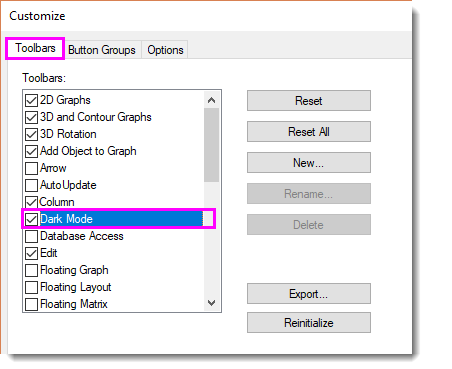
- Select menu View: Toolbars...
- In the Customize dialog that opens, activate Toolbars tab. Find and check Dark Mode in the list.
Keywords:dark mode, light mode, color theme preference, change window color