Last Update: 4/26/2022
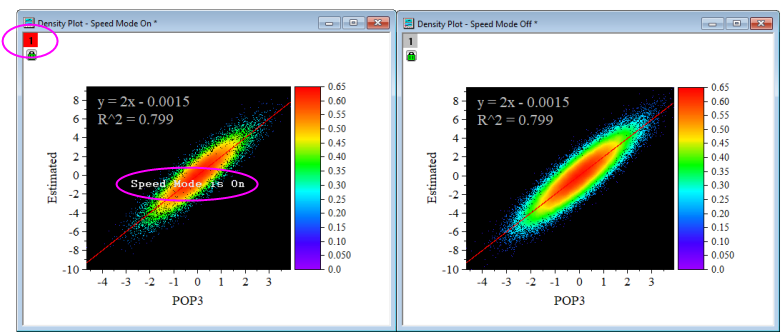
Speed Mode is a method Origin uses to (a) enhance the redraw speed of the data in your graph or to (b) systematically reduce the number of plotted points when plotting the entire dataset would create an incoherent graph (e.g a scatter plot of 1 million pts). Graph windows containing large datasets typically redraw at a slower rate, so Speed Mode can be used to control the number of data points that display in the graph layer and enhance redraw speeds.
The Speed Mode property is found in the Plot Details dialog box at the Layer level (Format: Layer: Size/Speed).
Use the X-Function speedmode (select Graph: Speed Mode...) to set speed mode properties for multiple graphs or the specified target, such as turn off the speed mode for all graphs in current project.
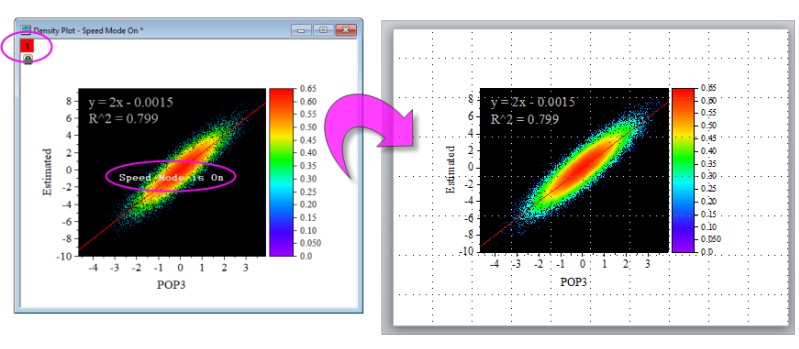
By default, the Speed Mode property does not apply when printing or exporting (including copying and pasting to other applications); all data points will be drawn.
In addition, you can choose Preferences: Theme Organizer and set Speed Mode OFF as the system theme (right-click on it and select Set as System Theme) to turn off Speed Mode for all future graphs, by default. Note that this theme will not effect 3D OpenGL graphs.
See also:
Keywords:slow, fast, missing, data, all, part, redraw, display, points, speed mode, speed, copy, copy page