
Last Update: 8/28/2024
Sometimes, you might want to show images as axis tick labels or data labels for a 2D graph.
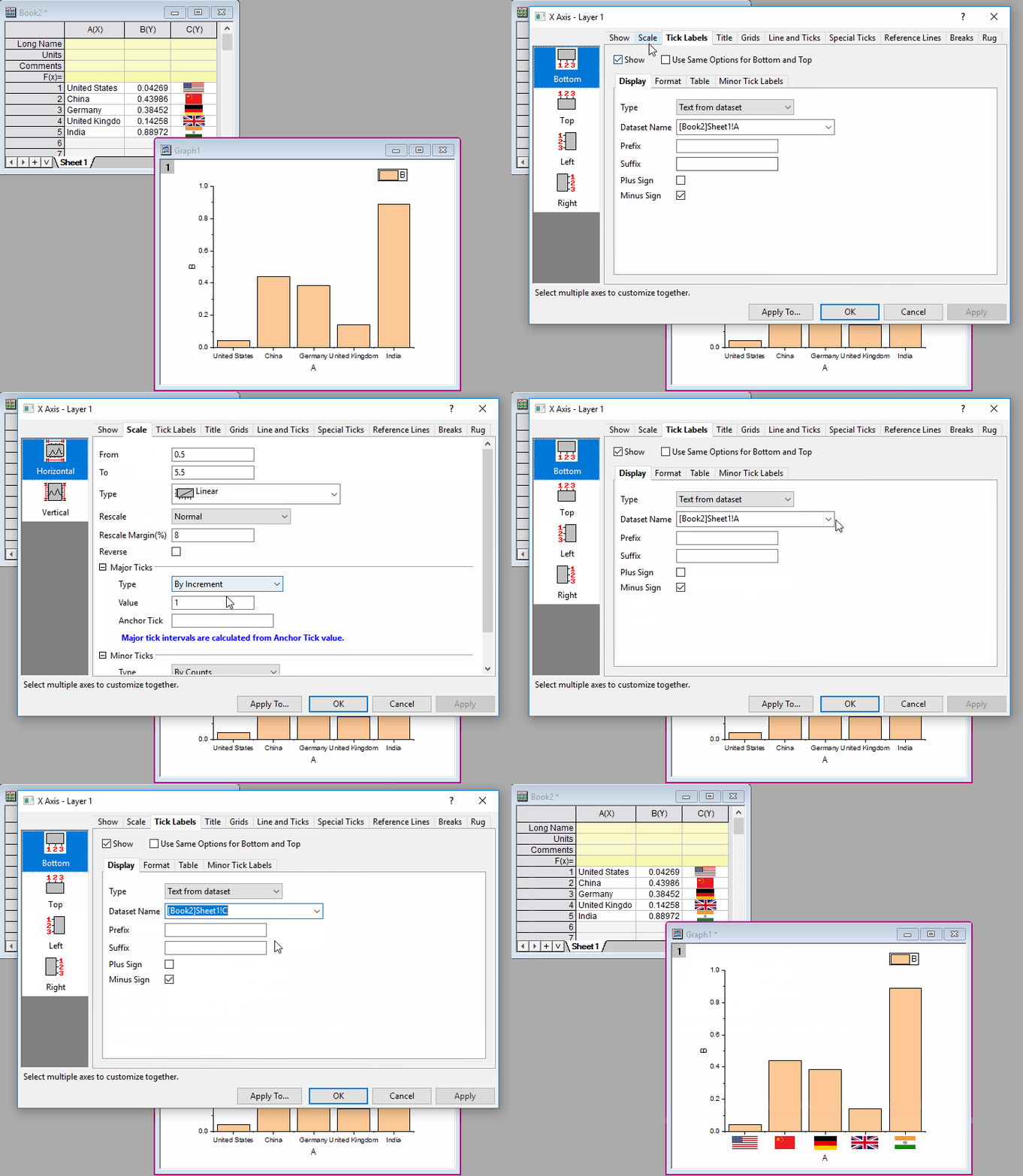
To show images in axis tick labels:
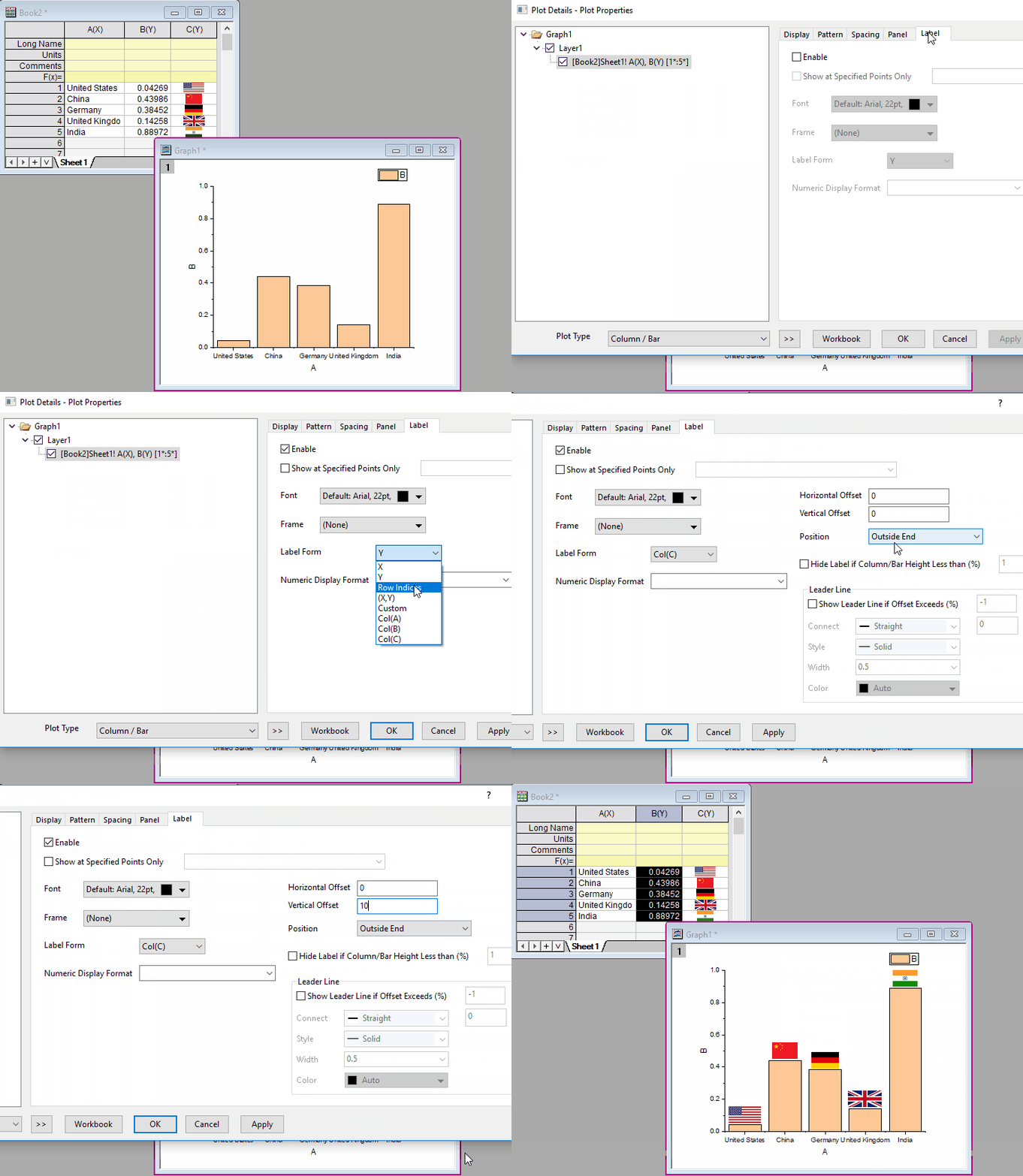
To show images in data labels:
 | You are also allowed to show the embedded image as annotation label: Once you have added an annotation label on a point, you can open the Annotation Properties dialog and enter a notation syntax to specify an embedded image as annotation label. |

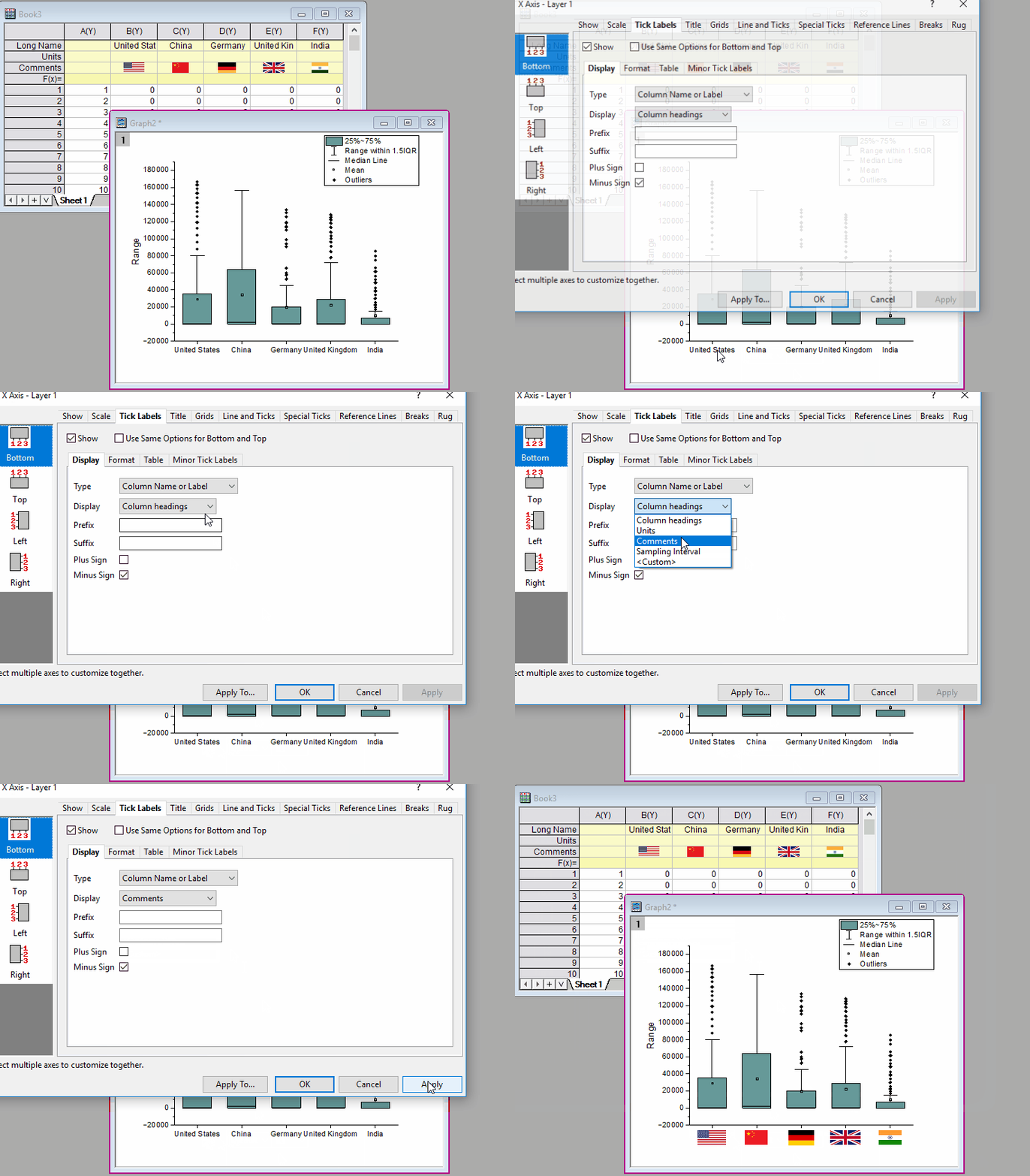
To show images in axis tick labels:
To show images in data labels:
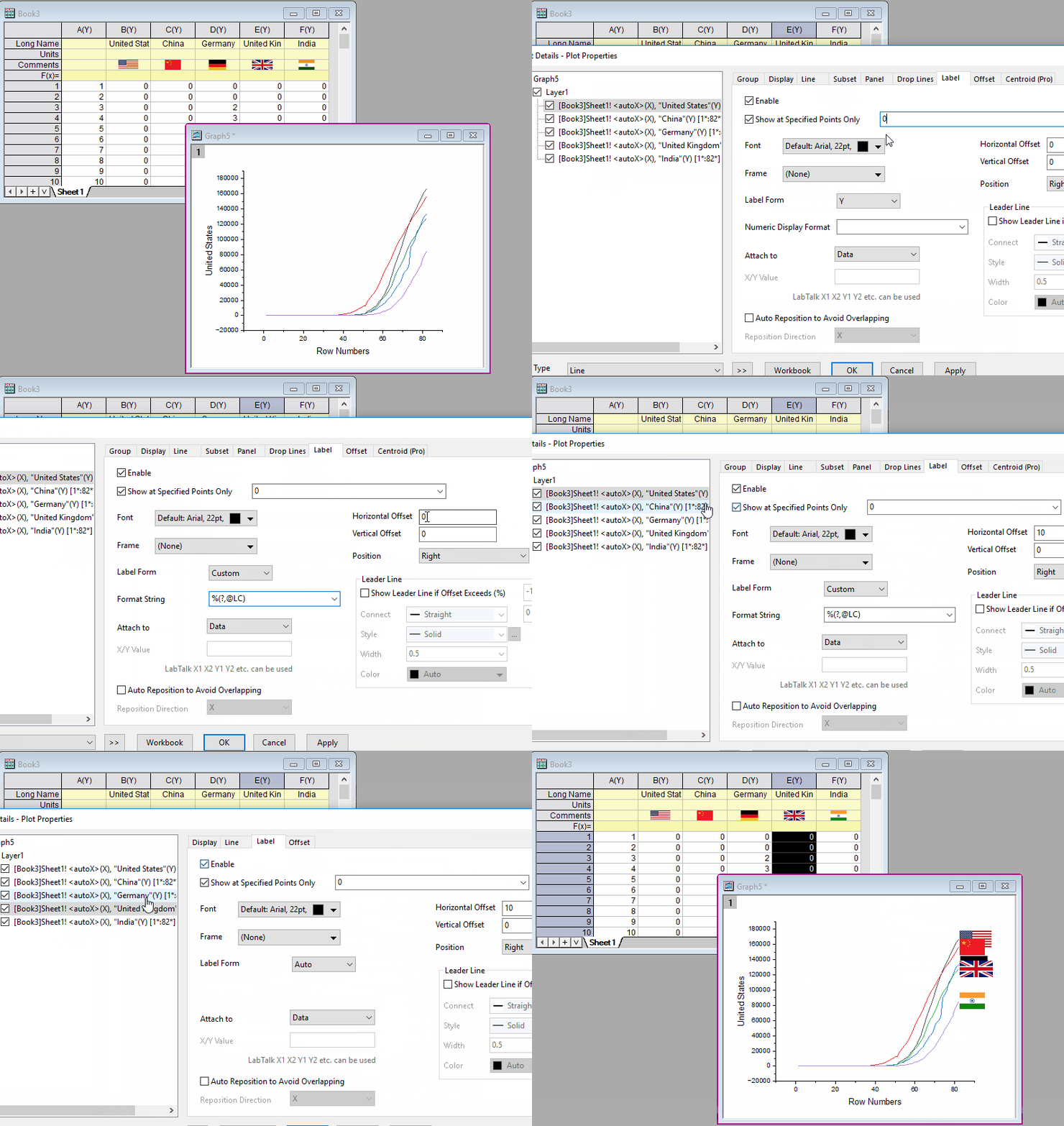
Note: There is a system variable "@WCSF" which indicates the ratio of Image Height and Font Height. The default value for this variable is 2. You can use it to adjust the image height.
Keywords:image label, image data label, insert image, image as label