1.126 FAQ-713 How can I set same font size for labels in different Layers?
Set-same-size-label
Last Update: 1/4/2019
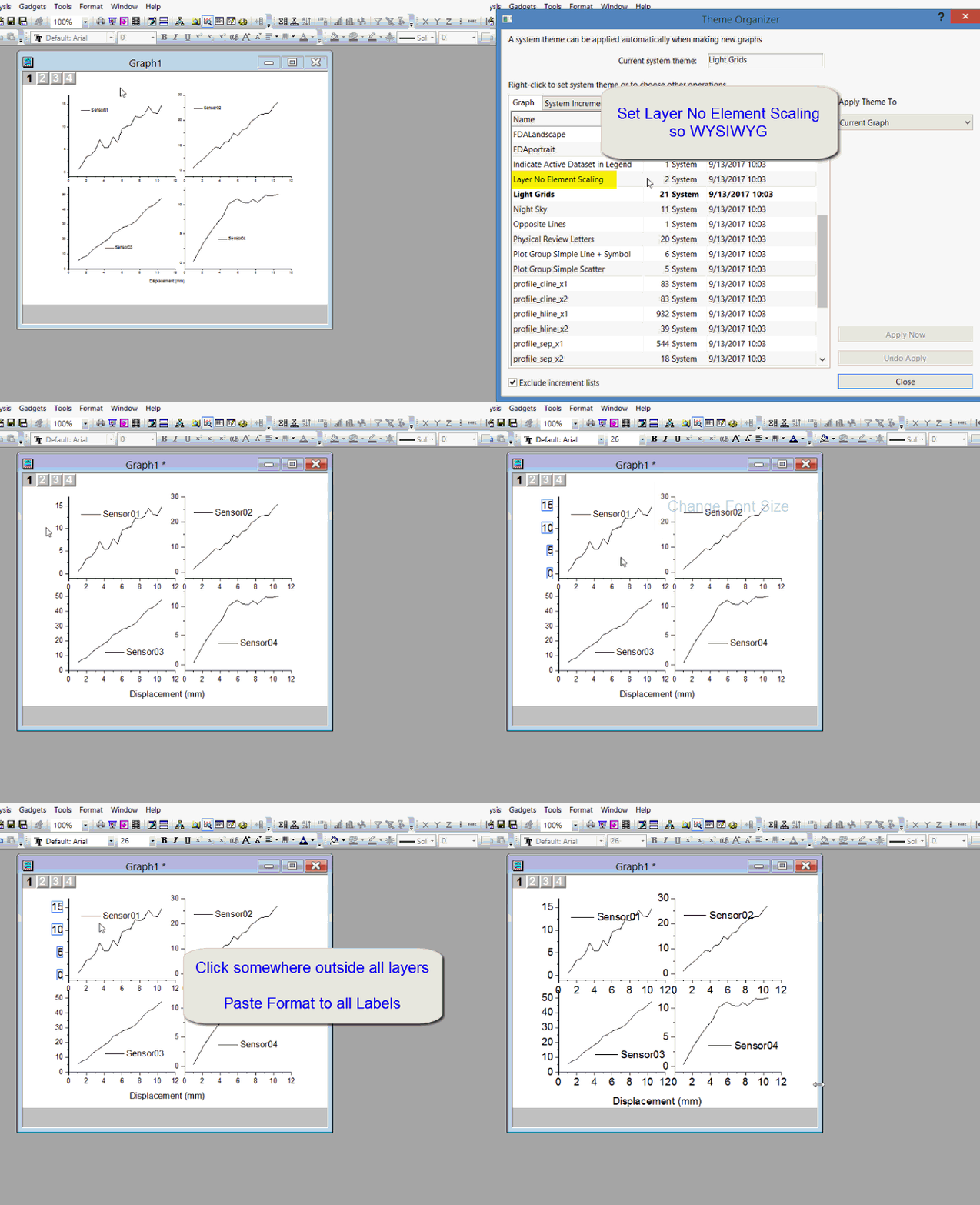
If you want to set same font size for all layers in a graph
- First open Preferences: Theme Organizer. On Graph tab, select Layer No Element Scaling to make sure WYSIWYG.
- Select any label in graph and set the font size.
- Right click it and choose Copy Format. If there are submenus below it, choose suitable one, such as Syle or Font.
- To apply the same font size to all other layers, right click somewhere outside any layer and choose Paste Format to: All: Font.
Keywords:Label, Multi-layer, consistent, text