6.79 FAQ-1091 My Learning Edition is expiring. How can I renew it?
LE-Expire-Renew
Last Update: 9/12/2021
A reminder message dialog will pop up 21 days before the Learning Edition license expires.
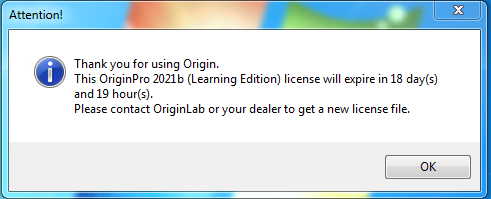
If you see this message, you can follow steps below to renew the Learning Edition:
- Open web browser to
https://www.originlab.com/index.aspx?go=PRODUCTS/OriginStudentVersion.
- Click Request Learning Edition button.
- Fill out the form as required and click Submit button to apply for a license renewal.
- A survey on Origin features and feedbacks will be sent to you. Please complete the survey.
- If your renewal request has been approved, OriginLab will email you with the renewal instruction. Follow the instruction to renew your Learning Edition.
Keywords:license, LE, learning edition, learning version, expired, renew license, extend license