Last Update: 8/17/2022
Layout window is usually used to arrange multiple graph and worksheet objects for display purpose. During the arrangement, you may want to change the size of Layout page to add/delete graph/worksheet objects, or copy objects to another Layer window with different page size.
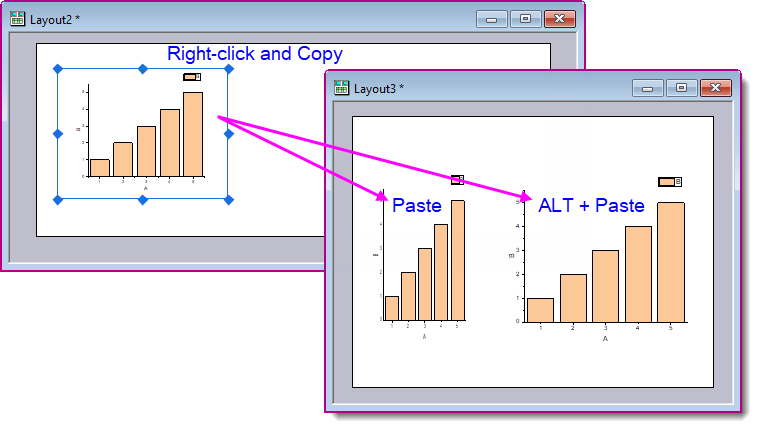
By default, EMF, BMP, DIB, OIMAGE and SVG image objects pasted to the Layout window are going to have Units expressed as % of layer. Thus, when pasting images between Layouts of different page Dimensions, the copied image objects may appear distorted or resized.
To keep the absolute size of the original copied image object when pasting,
Keywords:layout, graph, object, keep aspect ratio, page, layer, panel, distort, resize