1.120 FAQ-681 How to import an image into Origin?
Last Update: 1/11/2022
Image-Graph-Origin
Image files can be imported to Origin graphs, matrices and -- starting with Origin 2022 -- the Image window. In addition, they can be inserted into worksheet cells.
Importing Images to the Image Window
Introduced in Origin 2022, the Image window is a single-page window intended for image or video editing.
- Choose File: New Image and choose Image/Video or Multiple Image Files (for import of image stacks).
- To import an image or video to an empty Image window, right-click on the Image window and choose Import.
- To import an image or video by drag-and-drop, drag a file to the Origin workspace.
For more information, see these topics:
Importing Images to Matrices
Prior to Origin 2022, image manipulation and analysis operations were performed on matrix data. The matrix window remains the window to use for image analysis. Each matrix book can contain up to 1,024 sheets and each sheet can contain more than 65,000 superimposed matrix objects.
- Open a new matrix window and choose Data: Import From File: Image to Matrix.
- Users of older versions should choose File: Import: Insert Images from File
- The matrix window supports both image and data modes. Choose View: Data Mode (Ctrl+Shift+D) or View: Image Mode (Ctrl+Shift+I).
- To import an image to the matrix by drag-and-drop, drop the image file onto a matrix window. Note that beginning with Origin 2022, dropping an image file onto an empty portion of the workspace imports the image to an Image window. To drop an image file onto an empty portion of the workspace and have it open in a matrix, set system variable @IMGD=0.
- You can view matrix objects as thumbnail images or -- using a slider control -- as a series of images directly in the matrix. For more information see Image Thumbnails and Slider.
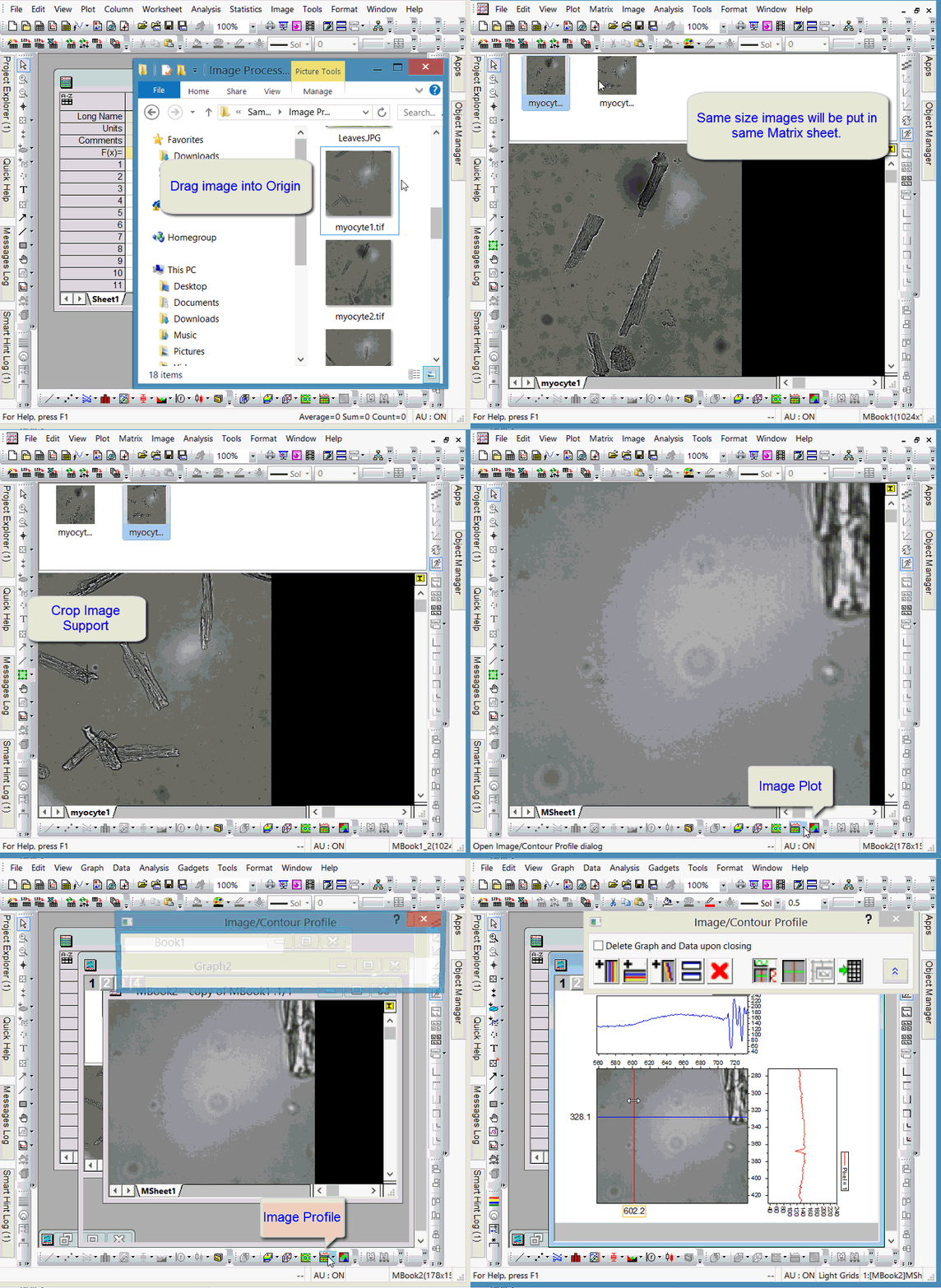
For more information, see these topics:
Importing Images to Graphs
- With the graph window active, choose Insert: Images from Files.
- Users of older versions should choose File: Import: Insert Images from File
- If you are using version 2021b, Origin will ask if you want to insert the image as graph layer background.
For more information, see these topics:
Inserting Images in Worksheet Cells
Right-click on a worksheet cell and choose Insert Images from Files.
For more information, see Inserting Graphs, Images and Other Objects into Worksheet Cells.
Keywords:Image Analysis, Import Image