1.144 FAQ-759 How to create histogram with relative frequency?
Histogram-Relative-Frequency
Last Update: 12/7/2025
By default, Origin histograms display counts. To create a histogram with relative frequency:
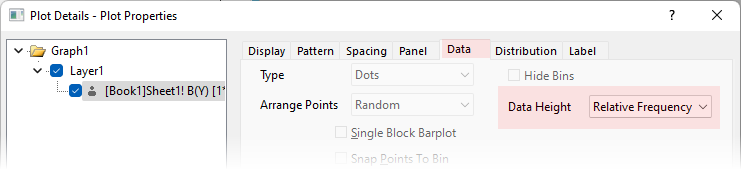
- Double-click the histogram to open the Plot Details dialog.
- In the Data tab, select Relative Frequency from the Data Height drop-down list.
-
Keywords:Histogram, Frequency Count