Last Update: 10/13/2020
| Note: The following information is intended for users of Origin 2020b and earlier. Beginning with Origin 2021, Origin automatically formats date and time data pasted from MS Excel. |
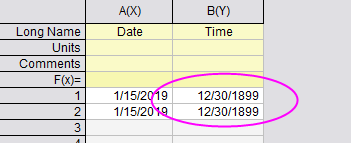
When you copy cells containing time data from MS Excel and paste them into Origin, you will likely see that the data display in Origin as "12/30/1899". This is Excel's "base date". The pasted time data remains but the trick is to get Origin to display it:
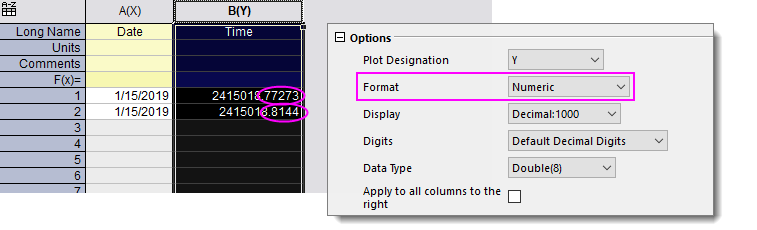
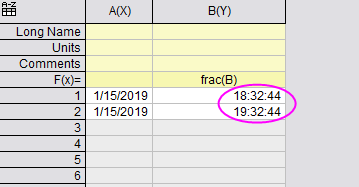
frac(N)... where N is the column Short Name. The cells in your time column should now display the fractional portion of the previously-displayed Julian Day value.
 | If you import your MS Excel data -- as opposed to copying and pasting -- into Origin, your time data should display properly in the worksheet without performing the above steps. |
Keywords:Microsoft Office, base time, Julian Day, convert, date, date-time