1.270 FAQ-1109 How to create user-defined symbols in Scatter plot?
Create-User-Defined-Symbol
Last Update: 11/30/2021
If you cannot find a desired symbol in the built-in symbol list (Plot Details dilaog > Symbol tab), you can either create your own symbol in other tools or search a desired symbol online and then use it in Origin.
Method1: Create a Symbol in Other Tool and Import It in Origin
- Use other drawing software to create your own symbol.
- Save it as *.SVG or *.BMP file.

- Import the user-defined symbol into Origin. That is,
- Select menu Preferences: Options.
- On the Graph tab of the Options dialog, click a blank cell and press CTRL + F to open file browser. Browser to select the saved symbol file.
- Click OK to close the dilaog.
- Now you can select this user-defined symbol from Symbol tab of Plot Details dialog or Plot Symbol button on the mini toolbar.

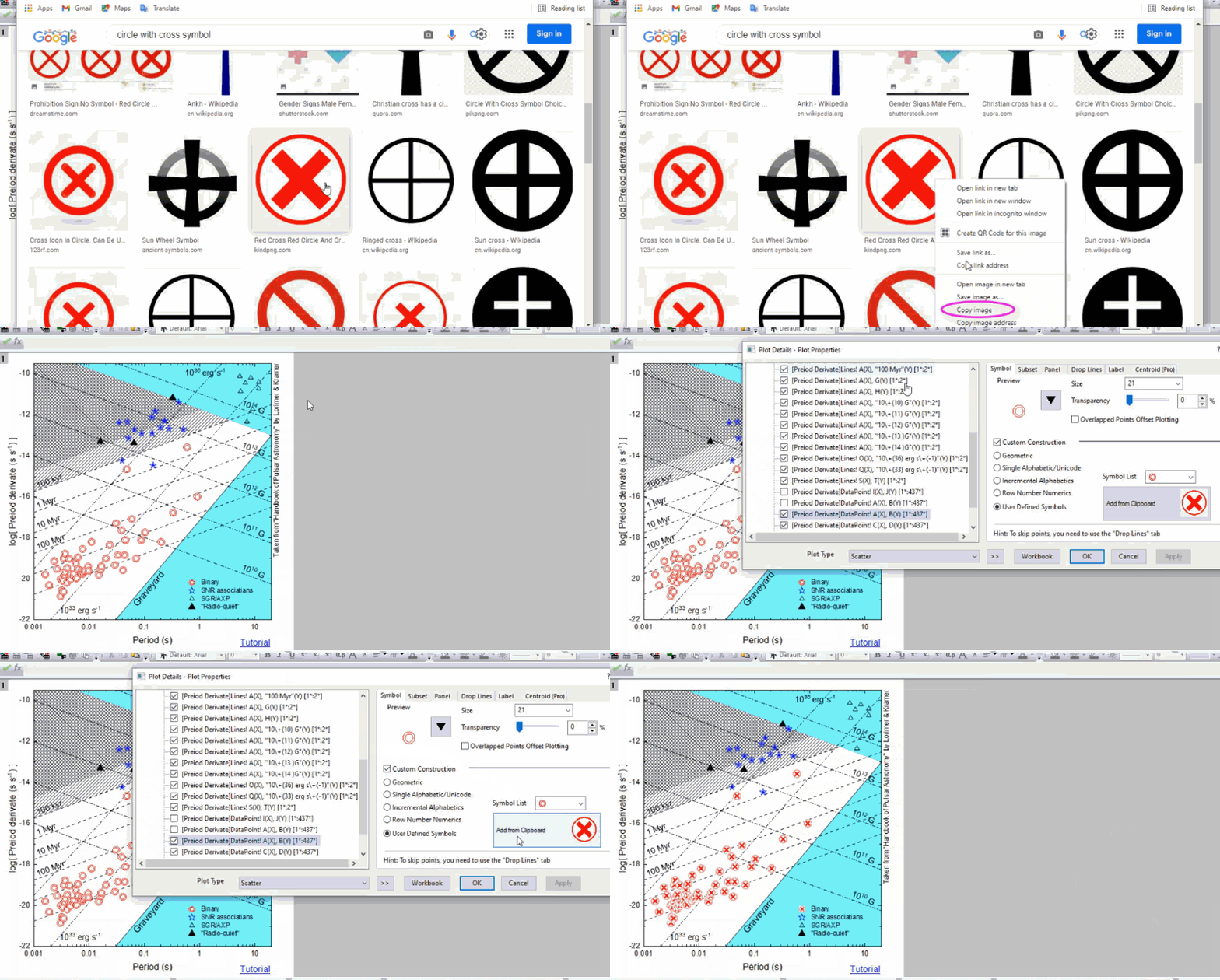
Method2: Search a Symbol Online and Use It in Origin
- Search a desired symbol online.
- Right click on the symbol image and select Copy Image from the context menu.
- Go to Origin. Double click on the symbol plot to open the Plot Detilas dialog.
- On the Symbol tab, select Custom Construction checkbox > User Defined Symbols radio box. You will see Add from Clipboard box showing the symbol image you just copied online. Click to select that symbol.
- Click OK button to apply it to the plot.
Keywords:user defined sybmol, svg symbol, custom symbol