1.5 FAQ-115 How do I change the position of the X and Y axes?
Change-XY-Axis-Position
Last Update: 1/2/2018
2D
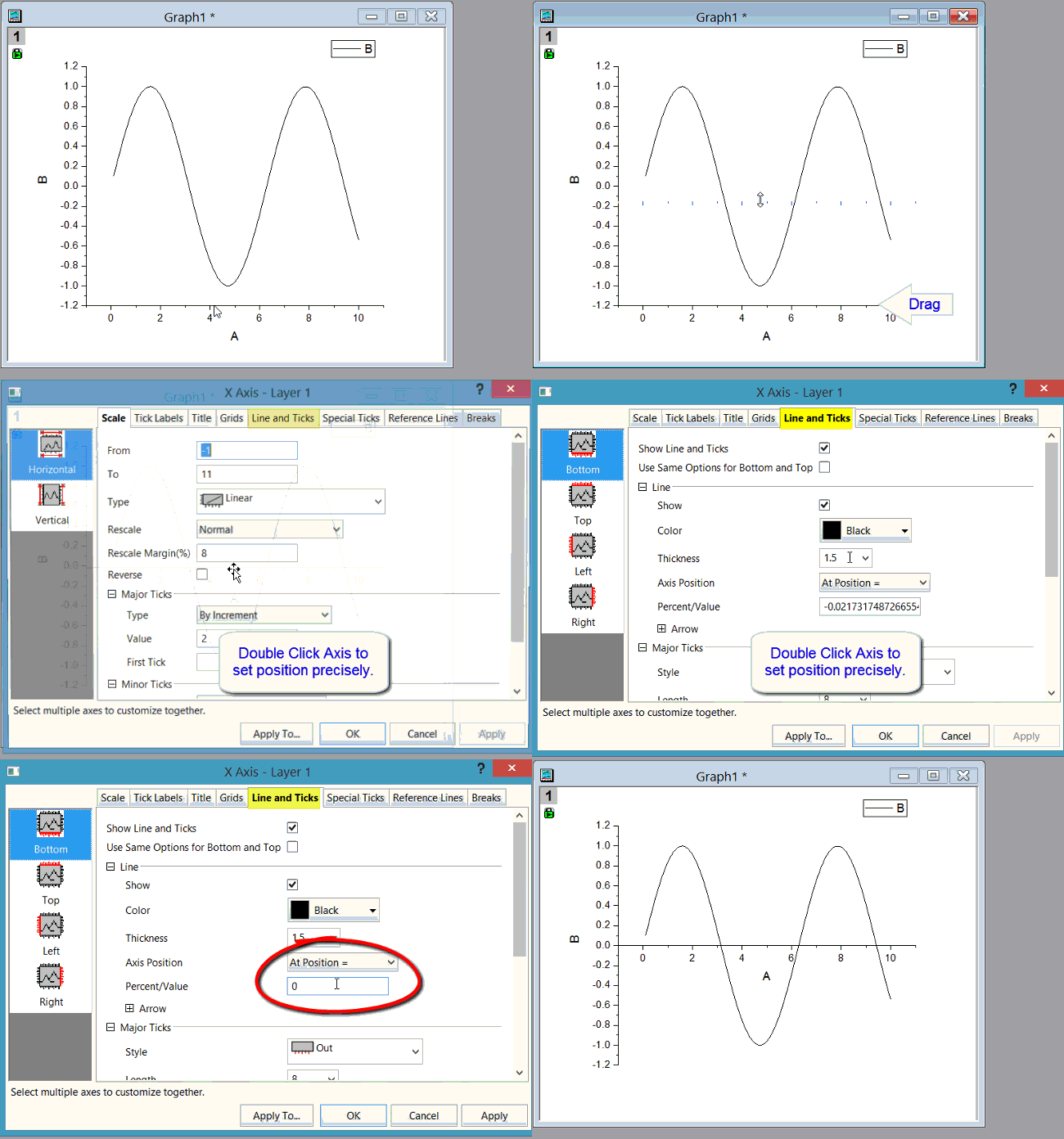
- To roughly move axis to new position, simply drag the axis.
- To precisely move axis to a position, double-click on the axis to open the Axis dialog. Go to the Line and Ticks tab, set the Axis Position.
3D
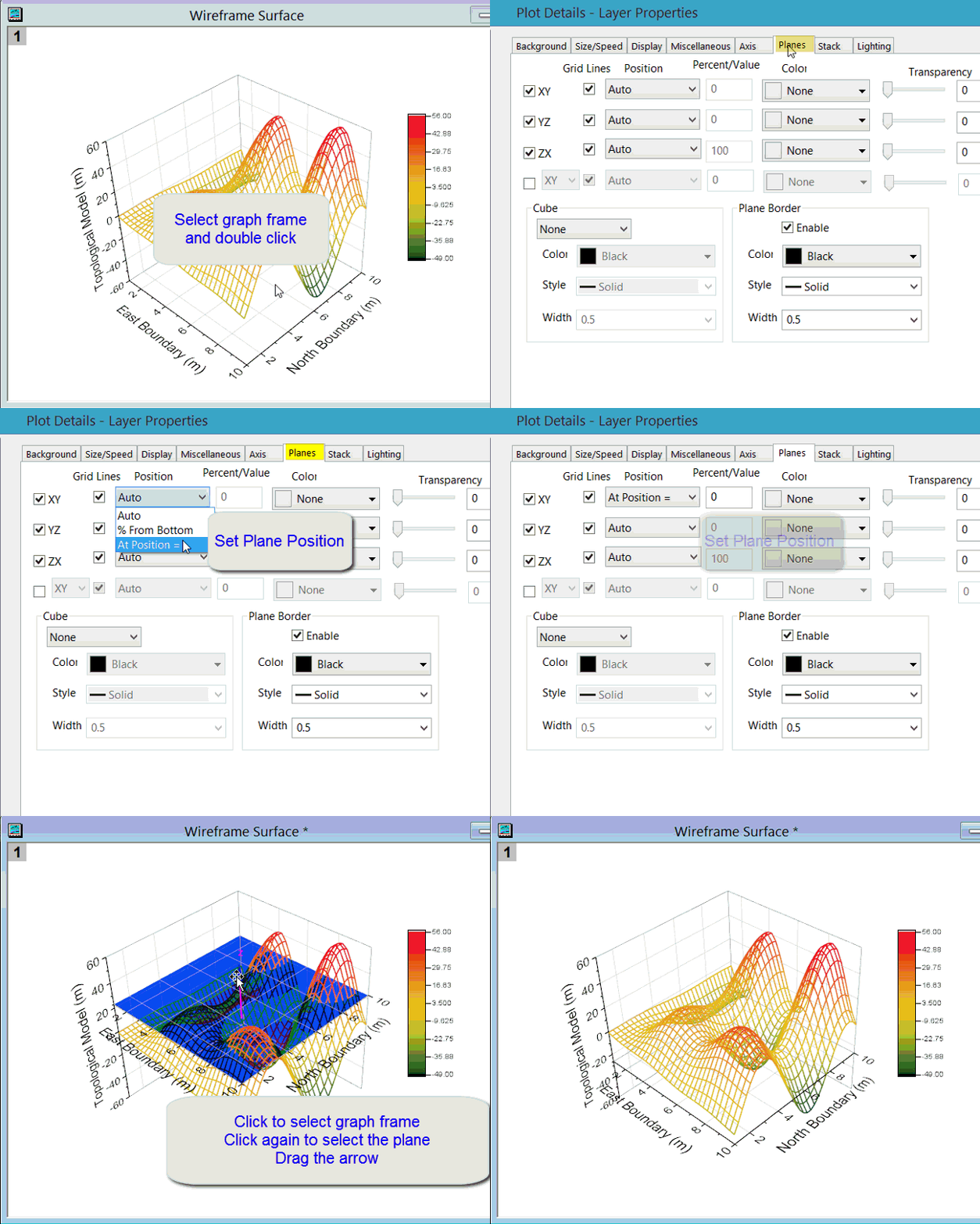
- Click once in graph to select the graph frame.
- Double click to open Plot Details dialog for layer.
- On Position tab, change Position from Auto to At Position and enter exact value.
Note: As long as position isn't Auto, user can later select the plane and drag it to new position.
Keywords:swap, horizontal, vertical, move