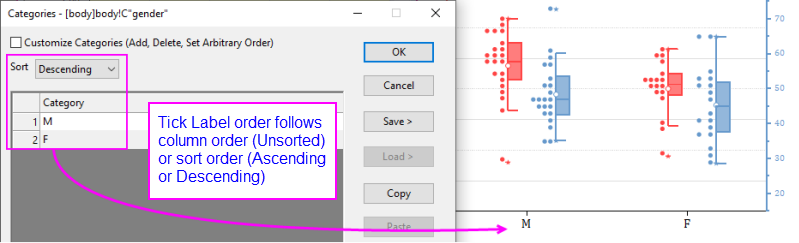
Last Update: 4/6/2020
When a graph is plotted from categorical data (when you right-click on a selected data column there is a check mark beside Set as Categorical), categorical index is assigned by the order of categories listed in the column (i.e. the first-occurring category is assigned a category index of 1, the next-occurring category is assigned an index of 2, and so on. This is an "Unsorted" list of categories.
Alternately, you can sort categories in ascending or descending order, which will change how category indices are assigned; or you can sort categories in an arbitrary manner, establishing a custom sort order.
To change the category sort order, you can:
 | Beginning with Origin 2020b, you can toggle between display of Category and Category Index in the worksheet column by clicking the Show Category Indices button on the worksheet page-level Mini Toolbar. |
Keywords:categorical, sort, tick labels, alphabetical, order
Minimum Origin Version Required: 2015 SR0