Last Update: 10/31/2022
Origin provides several built-in functions that let you specify backward and/or forward window size:
Movavg,
Emovavg,
Mmovavg,
Movcoef,
Movrms,
Movslope,
Tmovavg, and
Wmovavg.
For example, to use the Movavg function, in the Set Values dialog, do the following:
You can use sub-ranges in your Set Column Value formula to specify a sliding window.
For example, to calculate the standard deviation over a window size of 11, you can specify sub-range in your formula, such as:
StdDev(A[i-5:i+5])
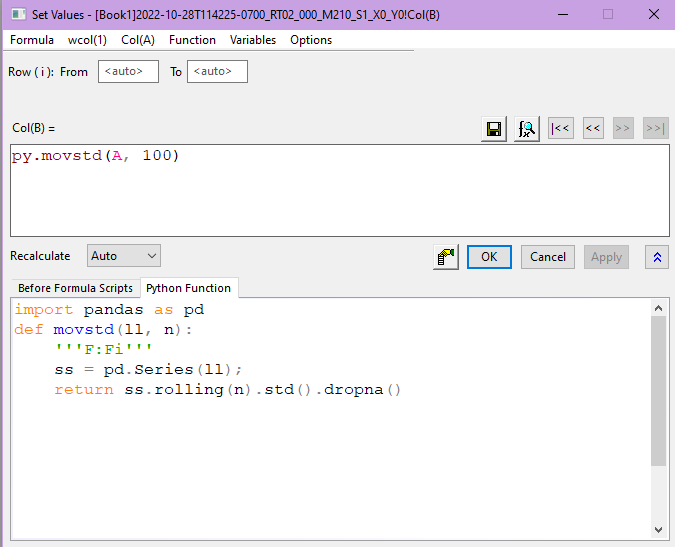
Calculating the moving standard deviation on large data sets may be very slow. In such cases, we can define the formula using embedded Python in Origin. In the example below, the rolling() function in the Pandas package is used which greatly expedites the calculation speed.
 | Use the Formula: Load Sample menu in the Set Values dialog for examples on column value calculations. |
Note: To calculate moving average on a plot, you can use Analysis: Signal Processing: Smoothing tool and set Method as Adjacent-Averaging.
Keywords:Moving, Rolling, Sliding, average, mean, standard deviation, std, SMA