 on the mini toolbar that appears.
Last Update: 8/3/2020
When a break is added to the axis, the break region display as a gap on the plot by default.
on the mini toolbar that appears.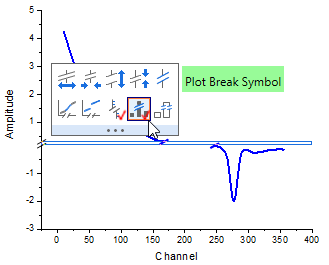
Note: The break marker symbol follows the shape of axis break and its color follows the plot's.
 (next to Plot Break Symbol botton button) to plot the break marker at both borders. Otherwise, the marker will be plotted across the entire bar.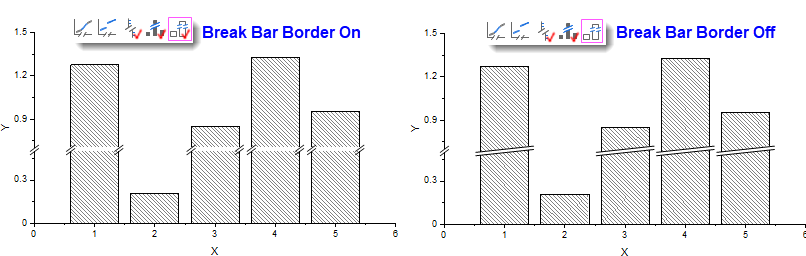
Keywords:axis break, gap, plot break marker, break region, break area